Robot Mop Pads Not Spinning? Checks by Model
Short answer
A stopped pad has different causes by model. ECOVACS FAQ 925 covers rag-bracket tangles, eufy S1 Pro E12, E14 and E16 cover roller-mop debris and lifting, Samsung Jet Bot Combo has spin-board checks, Roborock S7 Error 27 concerns VibraRise, and Roomba Combo Error 1008 means a stalled pad actuator. As a precaution, match the code or symptom to the model before following its procedure.
Stopped mop parts and checks by model
-
Check 1
Does your Roborock S7 show Error 27?
Yes
Check the VibraRise system for obstructions, then relocate the robot and restart cleaning, as the S7 manual directs.
No
-
Check 2
On an ECOVACS robot covered by US FAQ 925, does the rag bracket stop turning off carpet during mopping?
Yes
Flip the robot and check for tangles. Clean and refit if tangled; if clear, swap left/right trays and observe. Contact ECOVACS if rotation still fails.
No
-
Check 3
Does your eufy S1 Pro report E12, E14 or E16?
Yes
Clean and refit the roller mop, tank and cover as detailed below. For E14/E16, start cleaning in suction mode; check whether the side mop light turns off.
No
-
Check 4
Are the mops on your Samsung Jet Bot Combo not operating?
Yes
Detach the mop spin board and check for foreign matter. Contact Samsung Customer Service if the issue persists.
No
-
Check 5
Does your Roomba Combo j7+, j9+ or 10 Max show Error 1008?
Yes
Hold the button about 20 seconds to reboot, move the robot to a new location with nothing on top, then press the button to resume.
No
None of these?
As a precaution, contact the manufacturer's support if the fault persists; provide the model, any error code and the steps tried.
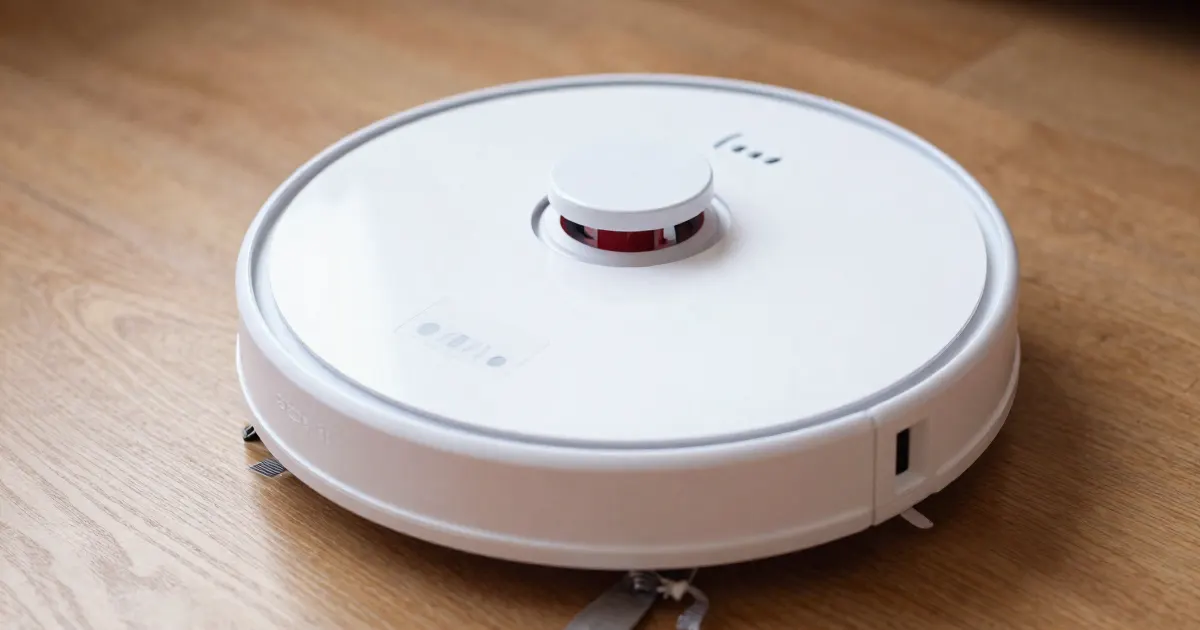
The short answer
A robot mop pad, roller or spin board that stops turning has different causes depending on the model, and each manufacturer documents its own checks. ECOVACS US FAQ 925 covers a rag bracket that does not rotate in sweeping mode and one that stops because of tangled debris. The eufy S1 Pro guide ties error E12 to a roller mop blocked by debris, long thin garbage or hair. Samsung’s Jet Bot Combo page separates mops that do not operate from dust suction running in a mop mode. Roborock’s S7 manual covers Error 27 for its VibraRise system. iRobot’s Error 1008 article describes a stalled pad actuator on the Roomba Combo j7+, j9+ and 10 Max.
As a precaution, match the code or symptom to the model before following a procedure, because each source describes a different mechanism.
Mop parts covered by the sources
Each source addresses a different part. The eufy S1 Pro has a removable roller mop. ECOVACS FAQ 925 addresses the rag bracket, and the Australian FAQ 1020 addresses the mopping pad plates, which it refers to through the DEEBOT product line. The Samsung Jet Bot Combo has a mop spin board. The Roomba Combo pad arm is the part iRobot’s article calls the pad actuator. On the Roborock S7, the VibraRise mop cloth mount carries the mop cloth, and Error 27 refers to the VibraRise system.
For pad fit problems, see the robot mop pad problems guide. Water spray and streaks have separate guides: not spraying water and leaving streaks. For a wider list of codes and steps, see the robot mop troubleshooting guide. Carpet detection is covered in the robot vacuum carpet detection guide.
What changes by model
The table gives the code or symptom for each model or product line, the check its source documents, and the source. The regions are noted because the sources come from different country sites.
| Model or product line (region) | Code or symptom | Documented check | Source |
|---|---|---|---|
| Roborock S7, VibraRise system (manual) | Error 27, VibraRise system jammed | Check for obstructions, then relocate the robot and restart cleaning. | S7 user manual |
| Roborock S7 (manual) | Noise during cleaning, VibraRise abnormal | Check for jammed objects. | S7 user manual |
| ECOVACS rag bracket covered by US FAQ 925 | Rag bracket not rotating, or rotating intermittently, away from carpet | Check for entanglements; disassemble, clean and reinstall if tangled. | ECOVACS FAQ 925 |
| ECOVACS rag bracket covered by US FAQ 925 | Rag holder still not turning after the entanglement check | Flip the main unit, check for foreign objects, swap the left and right trays and observe; contact after-sales service if it still does not turn. | ECOVACS FAQ 925 |
| DEEBOT pad plates (Australian FAQ 1020) | Pad plates fail to lift or hit mats | Clean the debris; check the plates are attached and reattach them if not. | ECOVACS AU FAQ 1020 |
| eufy S1 Pro (Singapore page) | E12, roller mop fails to rotate | Remove the tank and roller mop, clean the roller and slot, reinstall until it clicks, then reinstall the tank and cover. | eufy S1 Pro guide |
| eufy S1 Pro (Singapore page) | E14, roller mop stuck; E16, roller mop lifting abnormal | Same steps as E12; then switch to suction, start cleaning and check whether the mop indicator light turns off. | eufy S1 Pro guide |
| Samsung Jet Bot Combo (UAE page) | Mops not operating properly | Detach the mop spin board and check for foreign matter; contact Samsung Customer Service if the issue persists. | Samsung troubleshooting, Q5 |
| Samsung Jet Bot Combo (UAE page) | Dust suction running while Mop or Mop + Dust Suction is selected | Confirm the mop spin board is assembled correctly on both sides; contact Samsung Customer Service if it continues. | Samsung troubleshooting, Q6 |
| Roomba Combo j7+, j9+ and 10 Max (UK article) | Error 1008, pad actuator stalled | Hold the button about 20 seconds to reboot; move to a new location with nothing on top; press the button to resume. | iRobot Error 1008 |
Roborock S7
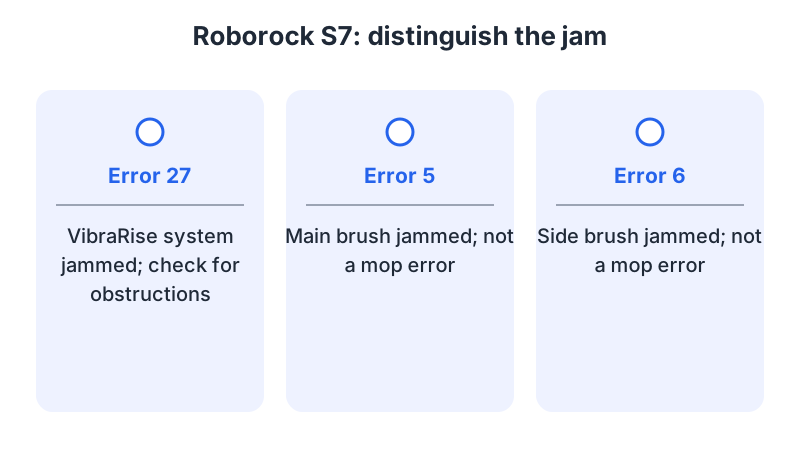
The S7 manual’s Errors table lists “Error 27: VibraRise system jammed. Check for obstructions.” Above that table, it says: “After resolving any of the following errors, relocate your robot and restart cleaning.” Error 27 concerns the S7’s VibraRise system.
The Common Issues table lists noise during cleaning with the line “VibraRise system abnormal. Check for jammed objects.” The same row also names the main brush, side brush, main wheels or omni-directional wheel as possible jams, with the instruction to turn the robot off and clean them.
Error 5 (“Main brush jammed. Clean main brush and bearings.”) and Error 6 (“Side brush jammed. Remove and clean side brush.”) identify jams in the main and side brushes.
The Instructions section describes the mop cloth: “To add water or clean the VibraRise mop cloth, press any button to stop the robot and remove the mopping module.”
ECOVACS
ECOVACS US FAQ 925 covers the rag bracket. In sweeping mode, the bracket stays raised and does not rotate during cleaning. In mopping modes, the robot lifts the bracket and stops its rotation when it meets carpet, through its Self-Adaptation carpet function. Away from carpet, if the bracket does not rotate or rotates from time to time, the FAQ asks you to check for entanglements. If you find any, disassemble the bracket, clean it and reinstall it.
If nothing is tangled, the FAQ asks you to flip the main unit, check the rag holder for a foreign object, swap the left and right rag trays and observe. If the bracket still does not turn, it directs you to ECOVACS after-sales service.
The Australian FAQ 1020 refers to DEEBOT as its product line and covers the mopping pad plates. In vacuum mode the plates are lifted, which the FAQ describes as normal. In mopping mode they lift when carpet is detected. In mop after vacuum mode they lift for the vacuum phase and lower for the mopping phase. For lifting problems that remain after the mode checks, the FAQ asks you to remove debris from the plates and check their attachment, reattaching them if needed.
eufy S1 Pro
The eufy S1 Pro page covers the S1 Pro in Singapore. E12 means the roller mop fails to rotate. The page lists large debris, long thin garbage or a large amount of hair entering the roller mop as possible causes. E14 means the roller mop is stuck, and E16 means roller mop lifting is abnormal. For all three, the steps are:
Open the robot’s cover and press both orange release buttons above the dirty water tank simultaneously to remove it. Turn the robot bottom-side up, press the roller mop button on the left side and lift the roller mop out. Clean the garbage and hair from the roller mop and its slot with the cleaning tool. Insert the roller mop from left to right into the fixed column and press down until it clicks. Turn the robot upright and reinstall the dirty water tank and cover.
For E14 and E16, the page adds a check: switch the cleaning mode to suction, press start cleaning, and see whether the mop indicator light on the side of the robot turns off.
Samsung Jet Bot Combo
Samsung’s UAE troubleshooting page covers the Jet Bot Combo. For mops that do not operate properly, the page asks you to detach the mop spin board and check for foreign matter. If the issue persists, it directs you to Samsung Customer Service.
For Dust Suction running while Mop or Mop + Dust Suction is selected, it asks you to confirm the mop spin board is properly assembled on both sides, and to contact Samsung Customer Service if the issue continues.
iRobot Roomba Combo j7+, j9+ and 10 Max
iRobot’s UK article on Error 1008 covers the Roomba Combo j7+, j9+ and 10 Max. The article says Error 1008 indicates that the pad actuator is stalled and the robot could not move. A stall can follow an object sitting on top of the pad in its stowed position, or a tight space that leaves no room for the pad to deploy fully.
The article’s recovery is to hold the button for about twenty seconds, which it says should clear any error from memory. Then move the robot to a new location, make sure nothing is on top of it, and press the button to resume.
If the pad arm remains stuck, recovery differs by model. For the Roomba Combo 10 Max, the article says the pad arm must be pushed back into place by hand. For the other Combo models in the article, placing the robot on the dock should prompt it to put its pad arm back on its own after a few minutes.
When to contact support
ECOVACS FAQ 925 directs you to after-sales service if the rag bracket still does not turn after its checks. Samsung’s UAE page directs you to Customer Service when the Jet Bot Combo mop problems continue. iRobot’s UK article recommends contacting support if Error 1008 persists, and says to have the robot charged and with you, with its serial number ready. For warranty claims, include proof of purchase.
As a precaution, record the model, the code and the steps completed, turn the robot off before handling any mop part, and do not open the robot body or the battery.
Not sure which guide fits? Use the symptom checker
Checked against
Models checked: Roborock S7 (VibraRise mop cloth); ECOVACS robot with rag bracket (US FAQ 925); ECOVACS pad plates (AU FAQ 1020); eufy RoboVac S1 Pro; Samsung Jet Bot Combo; Roomba Combo j7+, j9+ and 10 Max. These are document checks, not hands-on tests.
- Roborock S7 User Manual (PDF) (manual; accessed )
- ECOVACS FAQ: mopping pad plate rotates intermittently or does not rotate (support; accessed )
- ECOVACS FAQ: mopping pad plates and carpet (AU) (support; accessed )
- eufy S1 Pro Common Voice Errors and Basic Troubleshooting Guide (support; accessed )
- Samsung Jet Bot Combo troubleshooting (support; accessed )
- iRobot Knowledge: Error 1008, Roomba Combo j7+/ j9+ /10 Max (support; accessed )