Buture Cordless Vacuum Troubleshooting: VC50, VC60, X9, BP20
Short answer
Charge the Buture fully with its original charger, clear the floor brush, tube, dust cup and filters, then restart it once it has cooled. The VC50 and VC60 manuals describe a protection stop caused by a blockage and high temperature, and the BP20 shows E1 for a motor fault or a continuous blockage. A flashing red light depends on the model: charging on a VC60 battery, under 10% charge on an X9.
Buture cordless vacuum won't run: checks from the manuals
-
Check 1
Is the battery low, or was it charged with a different charger?
Yes
Charge it fully with the original charger: 31.0V 0.5A for the VC60, 36V output for the BP20.
Open guide: Cordless Vacuum Won't Turn OnNo
-
Check 2
Is a blockage, brush or airway warning showing?
Yes
Clear the floor brush, tube, dust cup and filters; on the VC50 and VC60, restart after the vacuum cools down.
No
-
Check 3
Does a BP20 screen show E1, E2 or E3?
Yes
E1: run the main unit without the dust cup. E2: leave it 10-20 minutes at room temperature. E3: use the original adapter.
No
-
Check 4
Does it refuse to charge after heavy use or in a cold room?
Yes
Let the vacuum and battery return to room temperature; the VC50 manual says at least 45 minutes.
No
-
Check 5
Is a red light flashing?
Yes
Match it to your model: charging on a VC60 battery, under 10% charge on an X9, a blocked brush or motor protection on a VC50.
Open guide: Cordless Vacuum Flashing Red LightNo
None of these?
If it still fails, email Buture with model and order number: [email protected] (VC50, VC60) or [email protected] (X9, BP20).
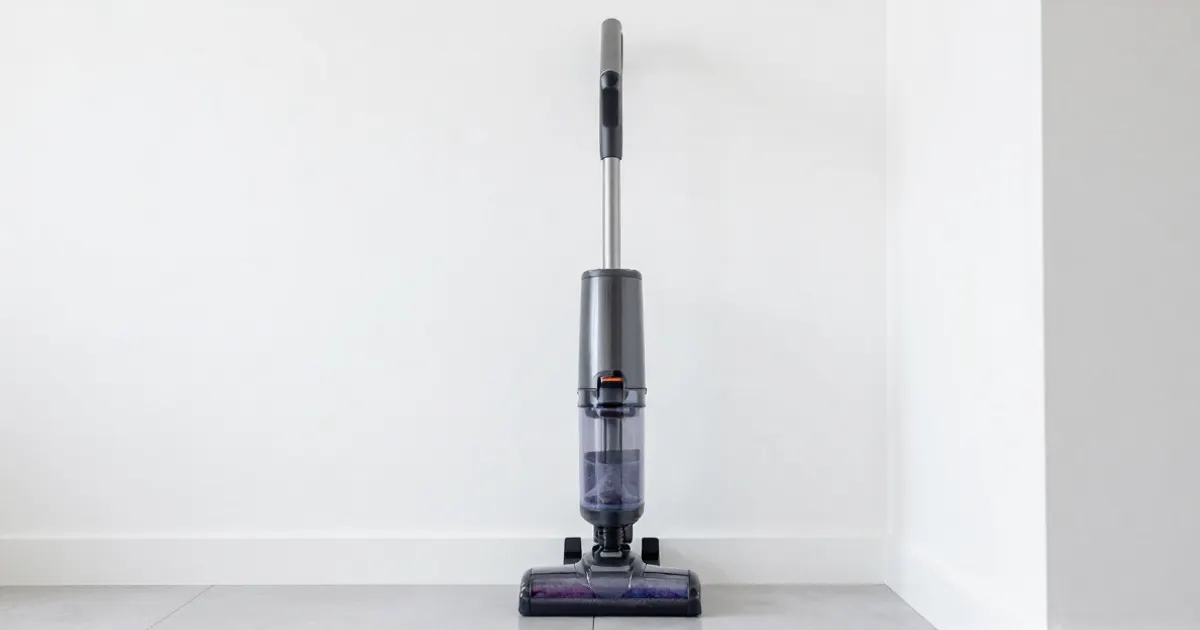
A Buture cordless vacuum that won’t start, stops after a few seconds or flashes a warning light is covered by a short list of checks in its manual: battery charge, the original charger, a blockage that triggers overheat protection, and a battery too hot or too cold to charge. The VC50, VC60, X9 and BP20 manuals cover these model by model, and their lights differ: red can mean charging, low battery, a blocked brush or MAX suction. Find the model name on the label, then use the matching rows below.
How to fix a Buture cordless vacuum that won’t turn on: step by step
- Charge it fully with the charger that came with it. The VC50, VC60 and BP20 manuals list a flat battery as a cause of a vacuum that will not work, and the X9 manual lists an incomplete charge behind a shutdown right after power-on. The VC60 manual gives its original charger as 31.0V 0.5A; the BP20 shows E3 when the adapter is wrong and asks for the original 36V adapter.
- Check that the battery pack is seated. The BP20 manual lists a battery pack that is not installed in place. The VC50 and X9 manuals ask for a battery that is fully charged and fixed in place before each use.
- Clear blockages, then let it cool before restarting. The VC50 and VC60 manuals describe an automatic protection stop caused by a blockage and high temperature: clean the floor brush, suction port and filters, then restart after the vacuum cools down. The X9 manual lists a blocked filter system as a cause of a vacuum that cannot be turned on.
- Read the screen before going further. The BP20 shows E1, E2 or E3, and the VC60 plays a warning animation for low battery, airway blockage, a tangled brush or a non-original charger (table below).
- Charge it at room temperature. When the battery is too hot or too cold, the VC50 manual says to leave the vacuum and battery to cool for at least 45 minutes, until they return to room temperature. The VC60 manual says to wait for the battery temperature to return to normal, and the BP20 E2 code calls for 10 to 20 minutes at room temperature.
- Stop and contact Buture if it still fails. The X9 manual sends a switch that does not work, a damaged battery or a short circuit to customer service, and the BP20 manual sends a failed motor or battery to the Buture team by email. Write to [email protected] (VC50 and VC60 manuals) or [email protected] (X9 and BP20 manuals) and keep the receipt with the purchase date and order number for a warranty claim.
For the same symptom on other brands, see the cordless vacuum won’t turn on guide.
Buture lights and messages: what the manual says
A red light is not one fault on a Buture: each row names the model whose manual describes it. The cordless vacuum flashing red light guide compares other brands.
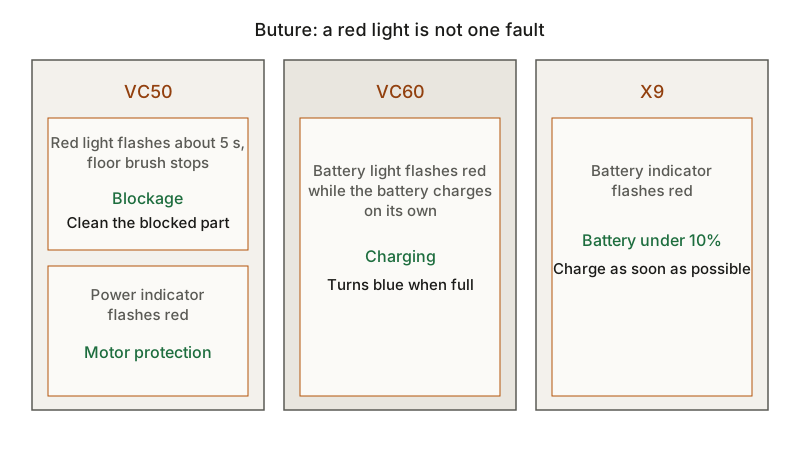
| Model | Light or message | What the manual says | Action | Source |
|---|---|---|---|---|
| VC50 | Red light flashes about 5 s and the floor brush stops | Floor brush, telescopic tube or dust cup blocked | Clean the blocked part promptly | VC50 manual |
| VC50 | Brush roller indicator flashes red | Brush roller blocked | Remove string, carpet fibers or hair wrapped around it | VC50 manual |
| VC50 | Power indicator flashes red | Motor protection such as over-temperature or under-voltage | Clean the machine and let it return to room temperature; contact Buture if it keeps flashing | VC50 manual |
| VC50 | Suction indicator red | MAX suction in MANUAL mode (MIN is blue, MID purple) | Touch M to change the suction level | VC50 manual |
| VC60 | Battery light flashing red while the battery charges on its own | Charging; it turns blue when full | Leave it on charge | VC60 manual |
| VC60 | CHECK THE BRUSH | Floor brush tangled | Clean the floor brush | VC60 manual |
| VC60 | AIRWAY BLOCKAGE | Airway blocked | Clean the extension tube and dust cup | VC60 manual |
| VC60 | Non-original charger warning | Wrong charger, which can damage the vacuum | Use the original 31.0V 0.5A charger | VC60 manual |
| X9 | Battery indicator flashing red | Battery under 10% | Charge as soon as possible | X9 manual |
| BP20 | E1 | Motor malfunction or continuous blockage causing high temperature | Remove the dust cup and run the main unit alone; if E1 clears, clean the dust cup and floor brush; if not, contact Buture | BP20 manual |
| BP20 | E2 | Battery temperature protection | Leave it 10-20 minutes at room temperature; contact Buture if it persists | BP20 manual |
| BP20 | E3 | Wrong adapter | Use the original adapter (36V output) | BP20 manual |
| BP20 | Floor brush stops, four battery-pack lights flash | Floor brush clogged | Clear the floor brush | BP20 manual |
What changes by model
Buture VC50
While charging, the VC50 battery indicator flashes blue in cycles and shows the remaining level in 25% steps; it stays lit when full. In AUTO mode a blue light means AUTO is on and a white light means it is off. For no or weak suction, the manual points to a full dust cup, a blocked suction port or a clogged filter. The dust cup, filters and brush roller can be washed with water but must be dry before use. For long storage, it asks for a charge and discharge at least once every three months and gives 39.2°F to 104°F (4°C to 40°C) as the recommended storage range.
Buture VC60
The VC60 charges on the main body, on the wall mount or as a separate battery, and the manual asks for a charge when the display shows under 30%. For a short run time it adds insufficient charging time and battery aging, with the advice to use the lowest or medium speed for simple cleaning. The default 2-year warranty can be extended to 3 years by contacting [email protected].
Buture X9
The X9 has MIN, MID and MAX suction, starts in MID and changes mode with the MODE button. At 20% the display reminds you to charge. On the vacuum, a flashing green light means charging, then the light stays on for 5 seconds at 100% and the screen turns off; a battery charged on its own flashes white instead. For weak suction the manual lists a blocked or deformed filter and a blocked extension tube, and sends an air leak from a broken brush hose to customer service. Other brands’ fixes for weak pickup are in the cordless vacuum losing suction guide.
Buture BP20
On the BP20, a flashing green light means charging and a steady green light means fully charged or in use. The manual asks for 4 hours of charging before first use and lists a 4-5 hour charge time. Before clearing the floor brush, detach it from the main unit so the machine cannot start by accident. For weak suction it also lists a dust cup or filters that are not installed correctly.
For a Buture model not covered here, follow the manual printed for that model; the no-name cordless vacuum guide explains which label details to record before contacting the seller.
Frequently asked questions
Why is my Buture vacuum light flashing red?
It depends on the model. On the VC60, a battery charging on its own flashes red until it turns blue. On the X9, the battery indicator flashes red under 10% charge. On the VC50, a red flash with a stopped floor brush means a blockage, and a red power indicator means motor protection such as over-temperature or under-voltage.
Why won’t my Buture vacuum charge?
The VC50, VC60, X9 and BP20 manuals list a charger that is not plugged in or not properly connected, a wrong or damaged adapter, and a damaged battery; the VC50 and VC60 add a battery that is too hot or too cold. The VC50 manual asks for at least 45 minutes of cooling before charging again.
Not sure which guide fits? Use the symptom checker
Checked against
Models checked: Buture VC50; Buture VC60; Buture X9; Buture BP20. These are document checks, not hands-on tests.
- Buture VC50 cordless vacuum user manual (manual; accessed )
- Buture VC60 cordless vacuum user manual (manual; accessed )
- Buture X9 LED color screen vacuum user manual (manual; accessed )
- Buture BP20 cordless vacuum user manual (manual; accessed )