Cordless Vacuum Brush Bar Not Spinning? Safe Checks
Short answer
Turn off and isolate the vacuum before touching the roller. Check visible tangles, the correct tool connection and model-specific brush instructions. Do not assume that every cordless head uses the same drive or reset.
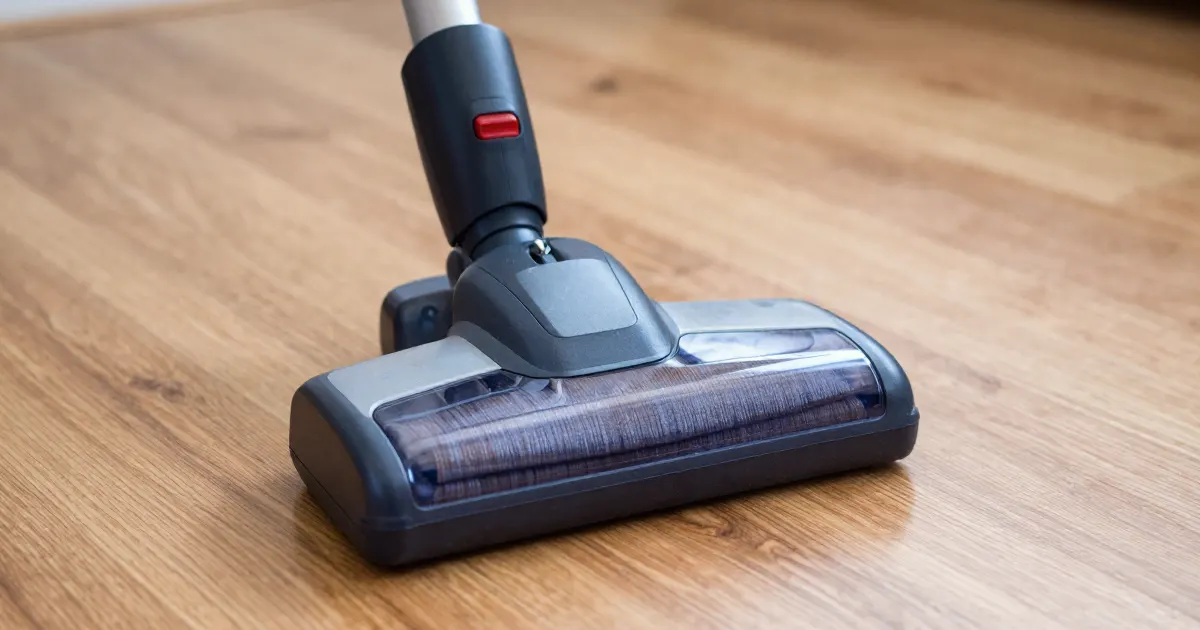
Checks documented for specific models
First distinguish a stationary brush with working suction from a vacuum that loses power. The examples below describe checks from individual support pages, not a universal ranking of causes, repair costs or diagnostic steps. Use only the instructions that match your model, attachment and symptom.
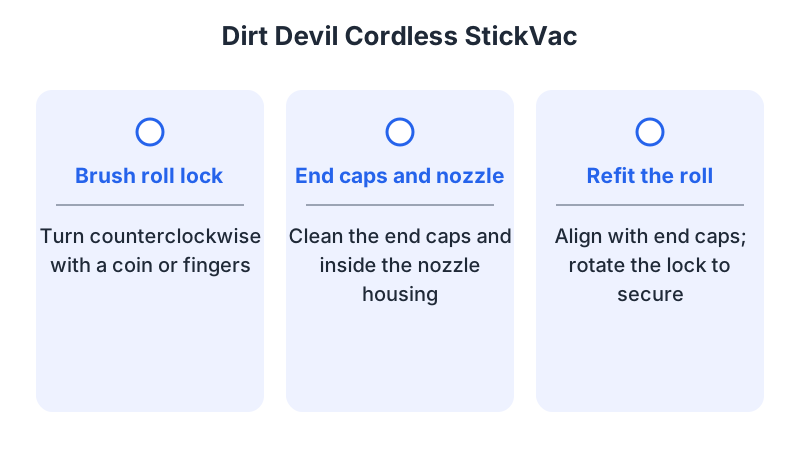
- Hair or thread wrapped around the roll ends. The Dirt Devil Cordless StickVac page says a clogged or tangled roll activates the automatic shut-off, and its fix is to pull the roll out and cut away the tangled hair. The Hoover page on a flashing red charge indicator gives the same pattern: debris or a build-up stops the brush roll from turning, and the product cuts out automatically.
- A roll that is not locked or not seated. The Dirt Devil page says to re-fit the roll so it is aligned with the end caps, then lock it by rotating the lock. The Tineco A10 Essentials page lists checking that the roller brush is installed in the correct position as a step when the noise comes from the brush. This is advice for abnormal brush noise; that page does not identify incorrect seating as a cause of a stopped roller.
- An incomplete connection. The Dirt Devil page says that if the filter is not positioned correctly, the nozzle will not receive power, because a full connection cannot be established.
- A protective cut-out. The Dirt Devil page says to turn the unit off, empty the dirt cup, and clean the nozzle, filter and air-path connection points, then resume cleaning once 30 minutes have elapsed. For whole-vacuum power loss, the Samsung Jet page describes an automatic stop caused by overheating and recommends checking the pipe and brush for blockages and cleaning the filter; it does not diagnose a stationary roller while suction continues.
- A possible damaged belt on the Dirt Devil Cordless StickVac. The Dirt Devil page says a burnt smell may mean the belt is damaged, and asks the owner to contact customer service.
If the roll is clear of hair, locked and seated, and the machine still cuts out almost at once, the next step is no longer a home check. Stop the vacuum and take the part reference, model and purchase details to the manufacturer’s service route. Use the release and restart instructions for your exact model and cleaner head.
Confirm what stopped
Record whether the motor body runs, whether debris is picked up and whether the floor brush turns during ordinary use. Do not put fingers or an object against a powered roller to test it. A stationary roller with working suction is a different symptom from a vacuum that loses all power.
Check that the attached head is intended to be motorized. Some simple upholstery or crevice tools contain no rotating brush. Match the head to the vacuum’s approved accessory list before diagnosing a drive failure.
Inspect with power isolated
As a general precaution, switch the vacuum off and disconnect it from charging power before inspecting the roller; follow the battery isolation instructions for your model. Inspect accessible hair and thread around the roller ends and use the documented cover release. We recommend leaving sealed motor housings closed and removing the roller only if the model’s maintenance instructions allow it.
The Hoover support page for a jammed brush says to switch off the continuous running switch and to disconnect the appliance from the mains before examining it. It then says to slide the brush lock bar away from the centre of the product and lift out the roll. Scissors may be needed to cut away tangled material, taking care not to damage the bristles. The page also says to clear debris from the area around the brush and from the hose leading to the extension tube before refitting the roll.
As a general precaution, check that the head and wand connections are fully seated and undamaged. We recommend stopping use of an attachment with a bent, burnt or loose connector and avoiding any attempt to bridge contacts or add foil.
What changes by model
The table summarizes selected maintenance steps from pages covering different symptoms: brush stoppage for Dirt Devil and a jam-related cut-out for Hoover, low suction for BISSELL, power issues for Samsung and LG, and abnormal noise for Tineco. These are not interchangeable procedures or necessarily the first steps on those pages. Follow the instructions for your exact model and symptom.
| Brand or model | Selected maintenance step and source context |
|---|---|
| Dirt Devil Cordless StickVac | Turn the roll lock counterclockwise with a coin or your fingers, then clean the end caps and inside the housing. |
| Hoover FD22 series | Switch off the continuous running switch, disconnect from the mains, then slide the brush lock bar away from the centre. |
| BISSELL 2284/2389/2390 | Attach the dirt cup, clear debris from the brush tool, then turn the dial from locked to unlocked with a coin. |
| Samsung Jet | If the vacuum does not start, the page includes checking the pipe, dust bin and brush for blockages, clearing them and allowing cooling before retrying. |
| Tineco A10 Essentials | If the noise comes from the roller brush, clean the brush and check that it is installed in the correct position. |
| LG stick vacuums | For loss of power, the page includes separating the wand and nozzle, checking for debris and clearing foreign objects from the rotating brush. |
Dirt Devil Cordless StickVac
The Dirt Devil page covers the Cordless StickVac. Its release, tangle-clearing and re-fitting steps are the ones listed above. The same page links a burnt smell to a damaged belt and asks the owner to contact customer service.
Hoover FD22 series
The Hoover page lists the FD22G, FD22RA, FD22RP, FD22HH, FD22BCPET, FD22BR and FD22L. For the flashing red charge indicator, the page gives the jam sequence described above, ending with clearing debris from the hose leading to the extension tube and refitting the roll. Apply it only to the models listed on that page; the cited page does not state whether they are cordless.
BISSELL 2284, 2389 and 2390
The BISSELL support page covers no or low suction on the 2284, 2389 and 2390 cordless hand vacuums and includes brush-roll cleaning; it is not a dedicated stopped-brush diagnostic. It says to attach the dirt cup, clear debris from the brush tool, turn the coin dial to unlocked, and take off the brush-end cover. After the roll is pulled out and cleared, it asks for a suction check once the roll is back together. Do not carry these steps over to another BISSELL model without checking its own page.
Samsung Jet
The Samsung Jet page has two sets of steps. When the vacuum does not start, it says to inspect the pipe, dust bin and brush for debris or blockages and to clear any found, then leave the vacuum to cool for at least 5 minutes, and up to 30 minutes, before trying again. When the power cuts out, it links this to prolonged use of the Extension Crevice Tool or to overheating. It says to check the pipe and brush for blockages and to clean the filter, using the steps in a linked FAQ.
Tineco A10 Essentials
The Tineco A10 Essentials page is a noise guide. It asks the owner to contact Tineco customer service if the noise comes from the main motor. If it comes from the roller brush, the brush should be cleaned and installed in the correct position, and the page again asks for customer service if the problem continues.
LG stick vacuums
The LG page covers power issues. In its loss-of-power procedure, it says to separate the extension wand and nozzle, check for foreign objects or dust buildup, and remove foreign objects from the rotating brush with wet tissue or toilet paper. It also says to clean from the bottom of the nozzle in the same way. If the problem persists after cleaning, the page recommends a repair request through its 24/7 chat support.
Reassemble before testing
As a general precaution, clear only debris reachable through the model’s documented maintenance procedure and check that the roller, end pieces and cover are correctly reassembled. We recommend keeping the vacuum off until the cover is fitted and using a replacement belt only if the manufacturer confirms its compatibility and provides a user replacement procedure.
Perform one short normal-use check after complete reassembly. Record whether the roller now turns, whether the whole machine stops and whether an indicator appears. If the same failure returns, contact support with the head’s part reference and the vacuum model.
A jam, connection fault and motor fault cannot be reliably separated by a general online checklist alone. The fact that suction works does not prove a brush motor needs replacement.
Common questions
Can I clean the roll while the vacuum is plugged in? As a general precaution, switch it off, disconnect charging power and follow the isolation instructions for your model before cleaning the roller. For the models covered by its page, Hoover explicitly says to disconnect the appliance from the mains before examining it.
Does a stopped roller mean the motor has failed? Not on its own. The Dirt Devil page presents a clogged or tangled roll as the trigger for its automatic shut-off, and ties a burnt smell to a damaged belt. Check the roll, the lock and the connection first.
Can I restart straight away after a cut-out? As a precaution, follow your model’s instructions before restarting. In its vacuum-does-not-start section, Samsung Jet advises clearing blockages and allowing at least 5 minutes, and up to 30 minutes, before trying again. Dirt Devil’s thermal-protector instructions say to switch off and unplug, clean the unit and resume after 30 minutes; neither timing is a universal brush-roll reset.
Use loud-noise checks when the brush turns noisily, suction checks when pickup is poor, and cutting out when the entire cleaner stops.
Not sure which guide fits? Use the symptom checker
Checked against
Models checked: BISSELL 2284/2389/2390 motorized tool; Dirt Devil Cordless StickVac; Hoover FD22 series; Samsung Jet; Tineco A10 Essentials; LG stick vacuums. These are document checks, not hands-on tests.
- BISSELL 2284/2389/2390 filter and brush care (support; accessed )
- Cordless StickVac - Brush roll is not spinning (Dirt Devil) (support; accessed )
- The brush may have jammed (Hoover UK) (support; accessed )
- How to troubleshoot & resolve a Jet Vacuum power issue (Samsung UK) (support; accessed )
- Abnormal noise troubleshooting, A10 Essentials (Tineco) (support; accessed )
- LG stick vacuum cleaner troubleshooting power issues (support; accessed )