Cordless Vacuum Battery Not Lasting? Compare Mode, Runtime
Short answer
Compare a full charge using the same mode, tool and surface. Short runtime in a demanding mode is different from an abrupt shutdown. Record the indicator and do not infer battery failure from age alone.
Cordless vacuum battery not lasting: compare like with like
-
Check 1
Is runtime shorter in a higher power mode or with a motorised tool?
Yes
Compare the same mode, tool and surface using the figures for your exact model in the table.
No
-
Check 2
Has the battery never completed a full charge?
Yes
Confirm the charger is approved for your model; eufy HomeVac S11 specifies its original AC adapter. If charging never completes, use charging troubleshooting.
Open the guideNo
-
Check 3
For HomeVac S11, is the vacuum clogged, has it sucked up liquid, or is a fault light showing?
Yes
If charging is normal, inspect the metal pins. Record any flashing red indicator and whether liquid was picked up.
No
-
Check 4
Has the battery been in use a long time, with no mode, charge or blockage cause that fits?
Yes
Compare runtime under the same conditions before calling it wear. Age alone does not prove the battery has failed.
No
-
Check 5
Is the battery swollen, damaged or abnormally hot?
Yes
As a precaution, stop using or charging it, and do not run a runtime test on it.
No
None of these?
If the decline persists under comparable use, send the record to manufacturer support and ask whether a replacement is user-serviceable.
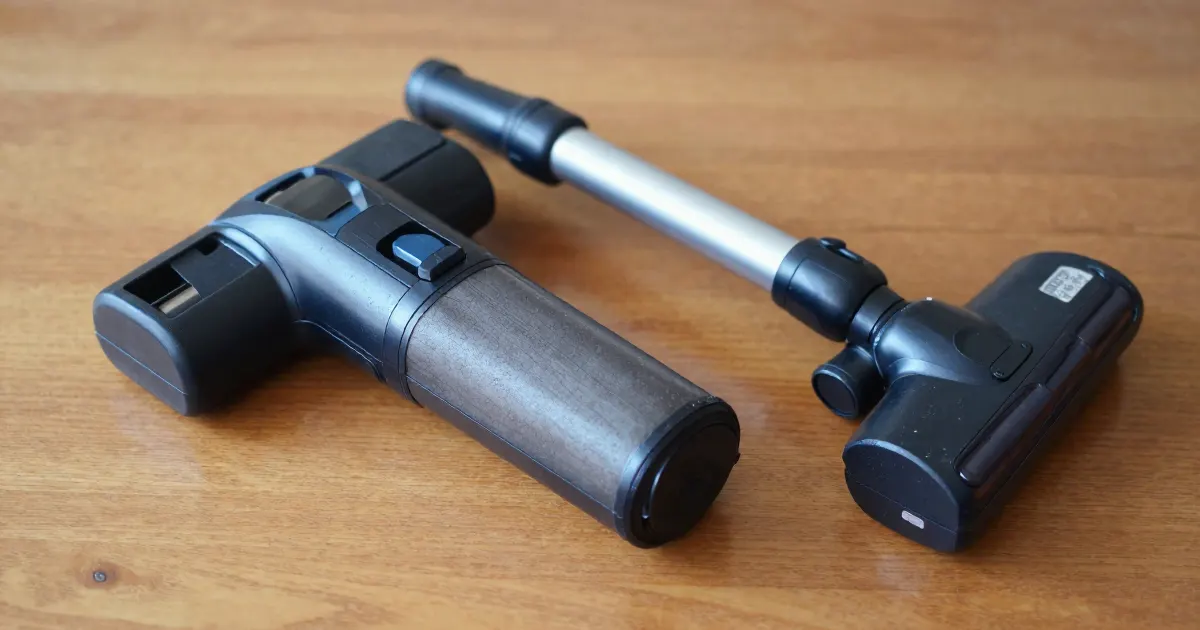
Direct answer: why runtime seems short
A shorter run alone does not identify the cause. Use the checks relevant to your model and symptoms:
- Mode and tool. Compare the published figures for the mode and attachment you use.
- Charging. For HomeVac S11, eufy lists improper charging as a possible cause and asks owners to check the original AC adapter.
- Blockage, liquid or indicators. For HomeVac S11, eufy also lists blockage or liquid pickup. Record any warning indicators.
- Battery condition. Record a persistent decline under comparable conditions for manufacturer support.
Compare like with like
Write down the mode, tool, surface and approximate runtime of a normal cleaning session. Then repeat the test with the same settings after a full charge, and compare the result with your earlier sessions. An advertised maximum and a high-power carpet session are not comparable measurements.
Tineco identifies its runtime figures as laboratory estimates. The 4°C to 40°C ambient range accompanies the charging-time figures.
Separate a gradual drop in runtime from a cleaner that switches off abruptly while still showing charge. The second symptom belongs in the cutting-out guide. A machine that never finishes charging belongs in charging troubleshooting.
Published runtime and charge figures
| Model | Modes and quoted runtime | Full charge | Source |
|---|---|---|---|
| Dyson V8 Cyclone | Eco, Medium and Boost modes | About 4 hours | Dyson V8 Cyclone manual |
| Dyson SV10 (Australian manual) | Powerful suction up to 40 minutes (25 with the motorised head); Max mode 7 minutes | 5 hours | Dyson SV10 operating manual |
| Tineco S3 series | AUTO about 35 minutes; MAX about 25 minutes | About 4-5 hours | Tineco S3 manual |
| Tineco iFloor 3 | ECO about 25 minutes; MAX about 18 minutes | About 4 hours (4 ± 0.5) | Tineco iFloor 3 manual |
| Samsung Bespoke Jet | MIN, MID, MAX and JET modes; MID is the default | About 3.5 hours per battery | Samsung use and modes |
| eufy HomeVac S11 Go, Reach, Infinity | Low 40 minutes; Mid 25 minutes; Max 8 minutes | Consult your model’s charging instructions | eufy S11 model differences |
| eufy HomeVac S11 Lite | Standard 35 minutes; Max 10 minutes | Consult your model’s charging instructions | eufy S11 model differences |
Use the row for your exact model. A run that is clearly below the figure for the same mode, after a full charge, is the comparison that matters.
What changes by model
These sources cover operating conditions, battery indicators and HomeVac S11 rapid-discharge troubleshooting.
| Brand and model | What the source says | Source |
|---|---|---|
| Dyson V8 Cyclone | During charging, a flashing blue battery LED means a battery fault. During use, a flashing blue, green or red machine LED means low battery; no machine LED means empty battery. Below 5°C (41°F) ambient temperature, the machine will not operate or charge. | Dyson V8 Cyclone manual |
| Dyson SV10 | The appliance switches off if battery temperature drops below 3°C (37.4°F). Avoid recharging immediately after a full discharge; allow it to cool for a few minutes. | Dyson SV10 operating manual |
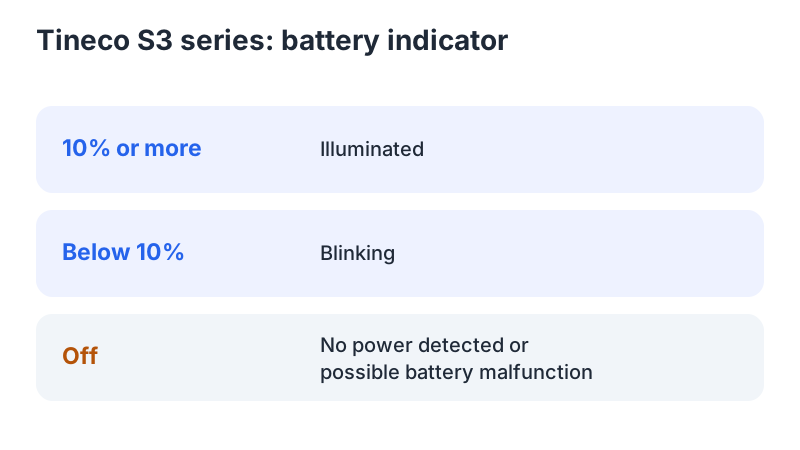
| Tineco S3 series | During use, the battery indicator stays lit at 10% or more and blinks below 10%; an unlit indicator can mean no power or a battery malfunction. For all lights going off during operation, troubleshooting lists battery overheating or malfunction and advises cooling down before restarting. | Tineco S3 manual |
| Tineco iFloor 3 | During use, an unlit indicator means no power or battery malfunction. If all lights go off during operation, troubleshooting lists battery overheating or malfunction and advises cooling down before restarting. A blinking battery indicator calls for charging or restarting. | Tineco iFloor 3 manual |
| Samsung Bespoke Jet | Two batteries, which the page says can be swapped for continuous cleaning. Battery status is shown on the control panel. Model-specific instructions are in the user manual. | Samsung use and modes |
| eufy HomeVac S11 Go, Reach, Infinity | Lithium-ion 2500 mAh battery. | eufy S11 model differences |
| eufy HomeVac S11 Lite | Lithium-ion 2200 mAh battery; Standard and Max modes. | eufy S11 model differences |
Dyson
The SV10 manual adds two battery-care points: avoid recharging immediately after a full discharge, and avoid using the appliance with the battery flush against a surface, which “will help it run cooler and prolong battery run time and life.” It also warns: “Use only Dyson batteries: other types of batteries may burst, causing injury to persons and damage.”
Tineco
Tineco’s storage advice is in both manuals: during long periods of non-use, charge the appliance once every three months, and keep it indoors, where the recommended temperature range is 4°C to 40°C. The S3 manual also says to use the appliance “only with specifically designated Tineco battery packs.”
eufy
For HomeVac S11, the discharge article specifies the original 30V, 800mA adapter and a 3.5-hour full charge. If charging works normally, it asks owners to check the metal pins on the vacuum and battery. If charging is normal and nothing is broken, it asks owners to check the indicators; a flashing red light calls for checking prior liquid pickup or internal blockage.
A useful runtime record
| Record | Why it matters |
|---|---|
| Exact vacuum and battery reference | Distinguishes variants and replacement compatibility |
| Charge-complete indication | Separates incomplete charging from runtime during use |
| Mode and attached tool | Keeps comparisons consistent |
| Surface and cleaning task | Avoids comparing unrelated sessions |
| Any warning at shutdown | Preserves the information support will ask for |
As a precaution, do not repeatedly drain a battery to zero to try to recalibrate it, unless the manufacturer’s instructions call for that procedure. As a precaution, do not bypass a protection circuit, open a battery pack or test with a similar-looking pack.
Before ordering a replacement
Check the bin and filter according to the model’s maintenance instructions, and refit every required part. Then confirm the charger and battery are the approved references for your exact model. Dyson’s SV10 manual says to “Use only Dyson batteries,” and Tineco’s S3 manual names its designated packs. A working indicator does not prove the battery is healthy, and a short session does not prove it has failed.
If the decline persists under comparable use, send the record to manufacturer support. Ask which further checks apply to your exact model and whether a replacement is user-serviceable. The battery replacement guide explains why a screw-in pack and a click-in pack call for different decisions.
As a precaution, stop using or charging a battery that is damaged, swollen or abnormally hot, and do not run a runtime test on it.
FAQ
Does a shorter run always mean a worn battery? No. Runtime figures vary by mode. For HomeVac S11, eufy also lists improper charging, blockage and liquid pickup. Compare like-for-like sessions before attributing the decline to battery wear.
How long should a full charge take? Use your exact model’s figure: about 4 hours for Dyson V8 Cyclone, 5 hours for SV10, 4-5 hours for Tineco S3, and 3.5 hours for HomeVac S11 with its original adapter. Record the charging time and completion indicator.
Should I run the battery flat to recalibrate it? As a precaution, do not repeatedly discharge the battery to zero unless your model’s instructions call for it. The Dyson SV10 manual advises allowing the machine to cool for a few minutes before recharging after a full discharge.
Not sure which guide fits? Use the symptom checker
Checked against
Models checked: Dyson V8 Cyclone; Dyson SV10 (Australian operating manual); Tineco S3 series; Tineco iFloor 3; Samsung Bespoke Jet; eufy HomeVac S11 series. These are document checks, not hands-on tests.
- Samsung Bespoke Jet use and modes (support; accessed )
- Dyson V8 Cyclone user manual (manual; accessed )
- Dyson SV10 operating manual (Australia and New Zealand) (manual; accessed )
- Tineco S3 series instruction manual (manual; accessed )
- Tineco iFloor 3 instruction manual (manual; accessed )
- eufy HomeVac S11 discharges quickly (support; accessed )
- eufy HomeVac S11 model differences (support; accessed )