Robot Vacuum Wheel Error: Suspended, Stuck or Jammed
Short answer
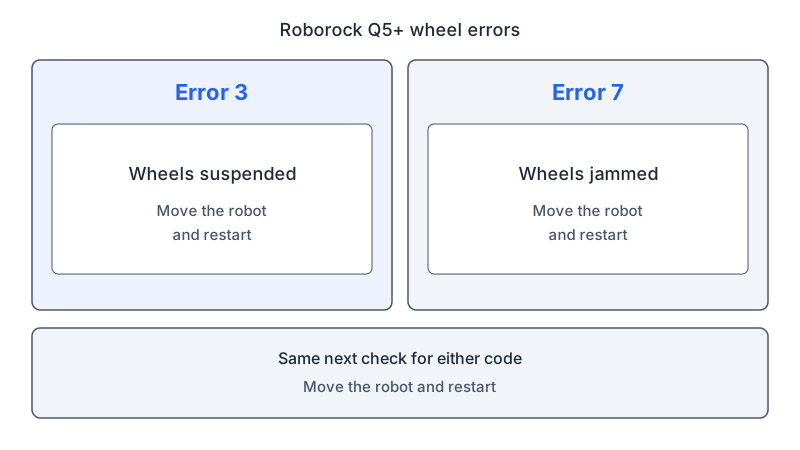
As a precaution, match the wheel code to your exact model before choosing a check. Roborock's Q5+ manual lists Error 3 as wheels suspended and Error 7 as wheels jammed, and iRobot lists Error 10 as a side wheel that cannot turn for Roomba 500, 600, 700 and 800 series. As a precaution, turn the robot off before handling its wheels.
Robot vacuum wheel checks by model and message
-
Check 1
Is it a Roborock Q5+ or S5 Max showing Error 3 or Error 7?
Yes
Both manuals say to move the robot and restart. For S5 Max Error 7, also check the main wheels for obstructions.
Open the guideNo
-
Check 2
Roomba 500/600/700/800 series: Error 10, or Error 7 per iRobot Canada (including 690/890)?
Yes
Push the wheel up and down, shake debris out of the wheel well, then turn both wheels by hand and compare their resistance.
No
-
Check 3
Does an ECOVACS DEEBOT DDX57 have a stuck driving wheel?
Yes
Rotate and press the driving wheel to check for wrapping or foreign objects, then clean any objects found.
No
-
Check 4
Is it a eufy Clean X9 Pro announcing Error 2?
Yes
Check the gap between the wheel and the body, clear anything caught there, then turn the wheel to confirm it moves freely.
No
-
Check 5
Is it an LG robot showing the left or right wheel message?
Yes
Place a soft cloth on the floor, set the robot upside down on it, rotate the wheels and remove foreign matter.
No
None of these?
As a precaution, if the error persists after the model-specific checks, contact the manufacturer before ordering a replacement wheel.
What a wheel error can mean
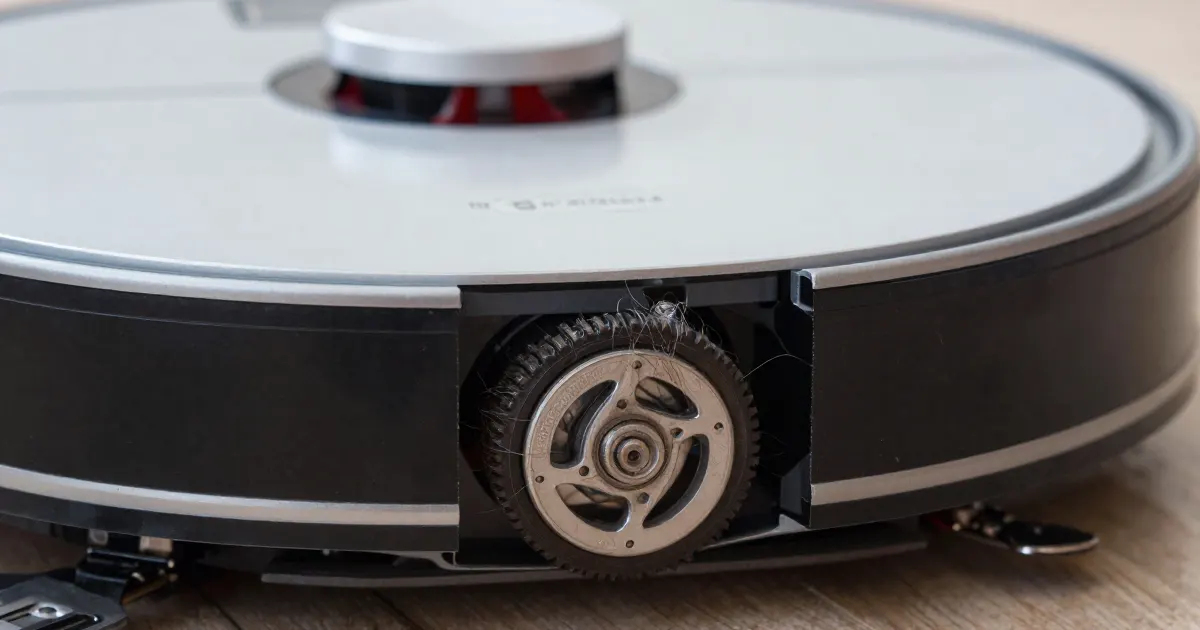
The sources describe several wheel conditions: suspended wheels in the Roborock Q5+ manual, a side wheel that cannot turn in iRobot’s Error 10 article, and objects caught around a wheel in eufy’s X9 Pro guidance. The model sections below keep those descriptions with their sources. As a precaution, record your model and its exact code or spoken message before choosing a procedure.
Codes for other parts of the robot are listed in the robot vacuum error codes guide.
Wheel codes and messages by model
As a precaution, read the code against your exact model before choosing a check. Roborock’s Q5+ manual lists Error 3 as wheels suspended and Error 7 as wheels jammed, and both entries say to move the robot and restart. For iRobot’s 500, 600, 700 and 800 series, Error 10 means a side wheel cannot turn. iRobot Canada’s Error 7 article describes side wheels or a left wheel that cannot turn on the 500, 600, 690, 700, 800 and 890 models. ECOVACS’s DEEBOT DDX57 manual lists a stuck driving wheel in troubleshooting item 18. eufy’s Clean X9 Pro announces Error 2 as a wheel stuck, and LG’s left and right wheel message points to foreign objects caught in the wheels.
What changes by model
Each row summarizes a manual or support article for the listed models. As a precaution, check your exact model’s manual before applying a procedure from another row.
| Brand and model | Code and message | Steps or cause in the source | Source |
|---|---|---|---|
| Roborock Q5+ | Error 3: wheels suspended. Error 7: wheels jammed. | For either code, move the robot and restart. Under Noise during cleaning, the troubleshooting section lists the main wheels and omni-directional wheel among parts that may be jammed. | Q5+ manual |
| Roborock S5 Max | Error 3: move the robot to a new location and restart. Error 7: look for anything stuck in the main wheels, then move the robot to a new location and restart. | Error 3: a wheel is suspended. Error 7: the main wheels may be jammed. | S5 Max manual |
| iRobot Roomba 500, 600, 700, 800 | Error 10: a side wheel cannot turn. | If the error happened while the robot was stuck under an obstacle, move it to a new spot and press CLEAN. Push the wheel up and down, shake out debris from the wheel well, then turn both wheels by hand. | iRobot Error 10 article |
| iRobot Roomba 500, 600, 690, 700, 800, 890 | Error 7: the side or left wheel cannot turn. | Place the robot in the middle of the room if it started on an uneven surface, check for blocking objects, push the wheels up and down, turn both wheels briskly by hand, and optionally blow compressed air gently into the wheel well. | iRobot Canada Error 7 article |
| ECOVACS DEEBOT DDX57 | Troubleshooting item 18: “The Driving Wheel is stuck.” | Cause: the driving wheel is entangled or stuck due to foreign objects. Rotate and press the driving wheel to check for wrapping or obstruction, and clean any foreign objects found. | DDX57 manual |
| eufy Clean X9 Pro | Error 2: wheel stuck. | Check the wheel and move the robot to a new position. Check the gap between the wheel and the body, clear what is caught there, then turn the wheel to confirm it moves freely. | eufy X9 Pro voice alerts |
| LG robot vacuum (page covers all models) | Remove foreign objects at the left/right wheels. | Place a soft cloth on the floor, set the robot upside down on it, rotate the wheels and remove foreign matter. | LG left/right wheels page |
Roborock
The Q5+ error table lists Error 3 and Error 7 beside Error 5 for a jammed main brush and Error 6 for a jammed side brush. Under Noise during cleaning, the Q5+ troubleshooting section says the main brush, side brush, main wheels or omni-directional wheel may be jammed, and tells the owner to turn the robot off and clean them.
The S5 Max table has Error and Solution columns. Its Error 3 entry says “Move the robot to a new location and restart,” and the Solution column explains that a wheel is suspended. Its Error 7 entry asks the owner to look for anything stuck in the main wheels, and the Solution column says the main wheels may be jammed. Its Error 4 entry concerns cliff-sensor cleaning and repositioning a suspended robot.
iRobot
iRobot’s Error 10 article names the 500, 600, 700 and 800 series, and its Overview section identifies a side wheel that cannot turn. The article says a persistent message may need a replacement wheel module. The Canadian Error 7 article names the 500, 600, 690, 700, 800 and 890 models, and says the code appears as a voice message on some models and as blinks or beeps on others. Its steps are checks on the wheels and the wheel well. If the message persists, it says a replacement Left Wheel Module may be needed. It directs owners to the iRobot Store’s parts and accessories section or an authorized retailer, and to iRobot Customer Care if the robot is under warranty.
ECOVACS
The DEEBOT DDX57 troubleshooting table has No., Malfunction, Possible Cause and Solution columns. Item 18 in that table reads “The Driving Wheel is stuck.” The cause column says the driving wheel may be entangled or stuck due to foreign objects. The solution column says to rotate and press the driving wheel to check for wrapping or obstruction, clean any foreign objects promptly, and contact customer service if the issue persists.
eufy
eufy’s X9 Pro page covers Error 2, announced as a wheel stuck alert. It says objects may be caught around the wheel. Its steps are to check the wheel, move the robot to a new position, check the gap between the wheel and the body, remove what is lodged there, and turn the wheel to confirm it moves freely.
LG
LG’s left and right wheel page says it was created for all models, and that images or content may differ from a specific product. Its steps are to place a soft cloth on the floor, set the robot upside down, rotate the wheels to remove foreign objects, and remove any foreign matter from the wheels. The same page also says to clean the cliff sensor with a cotton ball or soft cloth.
Keeping the Roborock Q5+ wheels clean
The Q5+ routine maintenance section covers its main wheels in C4 and its omni-directional wheel in C3. The main wheel should be cleaned monthly with a soft, dry cloth. Section C3 calls for cleaning the omni-directional wheel as needed and describes prying out its axle with a tool, taking the wheel out, rinsing the wheel and axle to remove hair and dirt, drying it, and pressing it firmly back in place. The manual notes that the omni-directional wheel bracket cannot be removed.
As a precaution, consult the wheel-maintenance section of your exact model’s manual before applying the Q5+ procedure to another robot.
Testing after a fix
iRobot’s pages say a replacement wheel module may be needed when the message persists. As a precaution, follow your exact model’s instructions for testing after maintenance and, if the alert returns, send the manufacturer’s support your model, the code or spoken message, and the steps you have tried. As a precaution, confirm the model and warranty status with support before ordering a part.
Common questions
Does Error 7 mean the same thing on every robot? On a Roborock Q5+, Error 7 means wheels jammed. For Roomba 500, 600, 700 and 800 series, including 690 and 890, iRobot Canada’s article defines Error 7 as side wheels or a left wheel that cannot turn. As a precaution, read the code against your model’s table before you act.
Should I replace a wheel when the error appears? iRobot’s pages describe a replacement wheel module for a message that persists after the checks. As a precaution, contact the manufacturer and confirm warranty status before ordering a part.
What if the robot keeps getting trapped? For repeated trapping, see the robot vacuum keeps getting stuck guide. For spinning in place, see the spinning in circles guide.
Not sure which guide fits? Use the symptom checker
Checked against
Models checked: Roborock Q5+ user manual (error table and routine maintenance); Roborock S5 Max user manual (error table and routine maintenance); ECOVACS DEEBOT DDX57 user manual (troubleshooting table); iRobot Roomba 500, 600, 700 and 800 series (Error 10 article); iRobot Roomba 500, 600, 690, 700, 800 and 890 (Error 7 article, Canada); eufy Clean X9 Pro voice alerts; LG robot vacuum left/right wheels message (page covers all models). These are document checks, not hands-on tests.
- Roborock Q5+ User Manual (manual; accessed )
- Roborock S5 Max User Manual (manual; accessed )
- ECOVACS DEEBOT DDX57 User Manual (T50 OMNI AU2 PDF) (manual; accessed )
- iRobot: Error 10 (a side wheel can't turn) support article (support; accessed )
- iRobot Canada: Error 7 (side or left wheel can't turn) support article (support; accessed )
- eufy: Voice Alerts and Quick Solutions for X9 Pro (support; accessed )
- LG: Troubleshooting the remove foreign objects at the left/right wheels voice message (support; accessed )