Floor Washer Self-Clean Not Starting? Check Your Dock
Short answer
For a self-clean button that does nothing on Tineco iFloor 2, iFloor 2 Max or iFloor 3, check battery charge and charging status. On BISSELL CrossWave Cordless Max, use the powered dock and fill to the clean-out icon; if the cycle will not start, reseat the machine and charge it for 10 minutes before retrying. Dyson WashG1 runs self-clean on its charging dock with the charger connected, using the menu to select Self clean and start.
Self-clean not starting: checks by floor washer model
-
Check 1
Does your Tineco iFloor 2, iFloor 2 Max or iFloor 3 self-clean button get no reaction?
Yes
Check that the battery has adequate charge and that the unit is in charging status.
Open the guideNo
-
Check 2
Does your Tineco iFloor 3 self-clean cycle stop unexpectedly?
Yes
Consult the display troubleshooting guide referenced by Tineco's iFloor 3 self-clean support page.
No
-
Check 3
Does your BISSELL CrossWave Cordless Max fail to start when you press the clean-out button?
Yes
Check the powered dock and clean-out water level, reseat the machine, then charge for 10 minutes before retrying.
No
-
Check 4
Are you preparing to run self-clean on your Dyson WashG1?
Yes
Place it on the charging dock with the charger connected. Use the menu button to select Self clean, then start.
No
-
Check 5
Does your eufy WetVac not start self-cleaning?
Yes
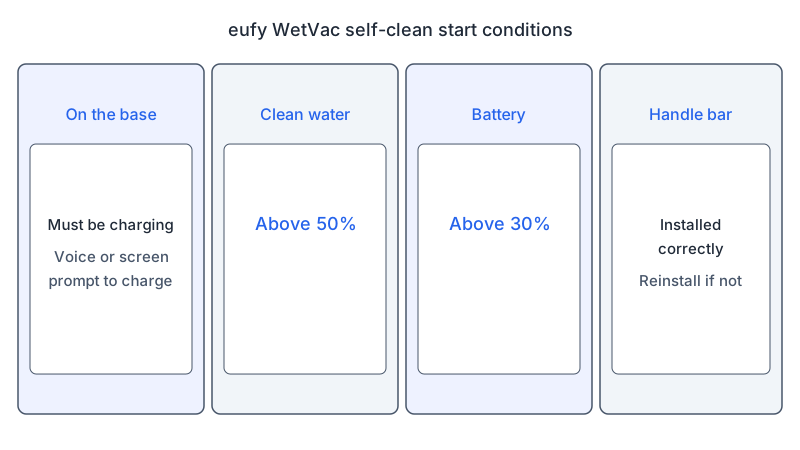
Keep it charging on its base, with clean water above 50%, battery above 30%, and the handle bar correctly installed.
No
-
Check 6
Does your BISSELL CrossWave Cordless Max cycle stop with the orange dirt-tank indicator blinking?
Yes
Empty and reinstall the dirty tank. The clean-out button stays inactive until emptying; the cycle resumes after refitting.
No
None of these?
If your model's documented checks do not restore the cycle, contact the manufacturer with the model number and displayed indicator.
The short answer
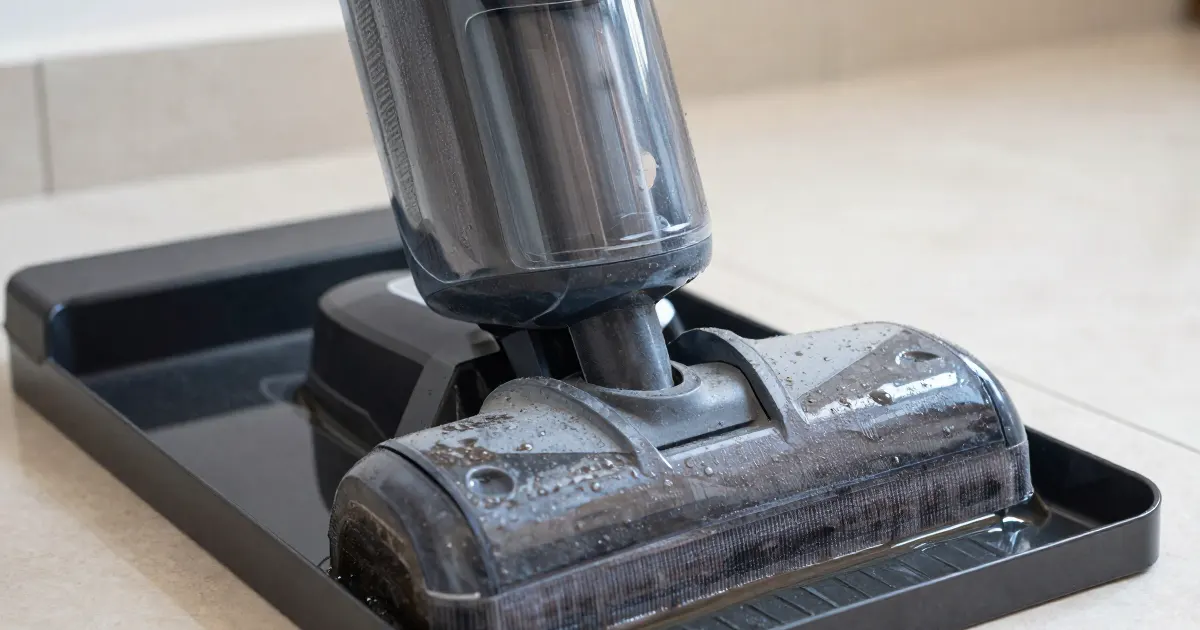
When a floor washer will not start its self-clean cycle on the dock, the first checks depend on the brand. Tineco’s support pages for the iFloor 2, iFloor 2 Max and iFloor 3 point to battery charge and charging status. BISSELL’s CrossWave Cordless Max sheet describes re-seating the machine on its dock and charging it for ten minutes before retrying. Dyson’s WashG1 guide runs self-clean on the dock with the charger connected, started from the menu. eufy’s WetVac article lists charging on its base, clean water, battery charge and the handle bar. The checks are grouped by model below, so match the section to the machine you own.
Identify the cycle problem
Match the self-clean symptom to your model: no button response on the three listed Tineco models, a failed start on the CrossWave Cordless Max, or an interrupted cycle on the iFloor 3 or CrossWave Cordless Max. For WashG1 and WetVac, check the start conditions in their sections. This is an editorial grouping, not a ranking of likely causes.
If self-clean runs but leaves water behind, see the pickup guide for that separate symptom.
What changes by model
| Model | What the source says for self-clean that will not start or stops | Source |
|---|---|---|
| Tineco iFloor 2 | No reaction to the self-clean button: make sure the battery is adequate and the unit is in charging status | Tineco iFloor 2 troubleshooting |
| Tineco iFloor 2 Max | No reaction to the self-clean button: make sure the battery is adequate and the unit is in charging status | Tineco iFloor 2 Max troubleshooting |
| Tineco iFloor 3 | No reaction: same two checks. Cycle stops partway: the page refers to its display-abnormal guide | Tineco iFloor 3 troubleshooting |
| BISSELL CrossWave Cordless Max | Cycle does not start: re-seat on the dock and charge for 10 minutes before retrying. Cycle stops with the orange dirt-tank indicator blinking: empty and refit the dirty tank | BISSELL docking station sheet |
| Dyson WashG1 | Self-clean runs on the dock with the charger connected; select Self clean from the menu, then start | Dyson WashG1 user manual |
| eufy WetVac | Charge on the base; check the clean water and battery; make sure the handle bar is installed correctly | eufy WetVac self-cleaning article |
Tineco iFloor 2, iFloor 2 Max and iFloor 3
The support pages for the iFloor 2, iFloor 2 Max and iFloor 3 each cover a self-clean button that gets no reaction. The iFloor 2 and iFloor 2 Max pages give two checks: the battery should be adequate, and the unit should be in charging status. The iFloor 3 page gives the same two checks.
The iFloor 3 page also covers a cycle that stops suddenly. It asks whether self-cleaning was interrupted and refers you to its display-abnormal guide. The iFloor 2 and iFloor 3 pages advise against pressing the trigger while checking any part of the machine, unless the page tells you to do so.
For charging faults beyond these checks, see the cordless charging guide.
BISSELL CrossWave Cordless Max
BISSELL’s sheet for the CrossWave Cordless Max describes a clean-out cycle on its 3-in-1 Docking Station. Before placing the machine on the station, make sure the Brush Roll Drying Tray is installed; the sheet says it clicks in and sits flush on the floor. Place the machine on the station, make sure the station is plugged in, and fill the clean water tank with warm tap water to the clean-out cycle icon on the tank. Put the tank back on the machine, press the clean-out cycle button, and let it run the full 40-second cycle.
If the machine does not start the clean-out cycle when the button is pushed, the sheet says to re-seat the machine onto the dock and allow it to charge for 10 minutes before trying again. The battery LED lights glow white while charging. If no lights come on, remove the machine and realign it on the dock. One blinking white light means less than 10 percent charge. A full charge takes four hours, and three white lights show a fully charged battery.
Dyson WashG1
Dyson’s SG user guide for the WashG1 says the machine self-cleans on the dock while charging. Place it on the dock and make sure the charger is connected. Use the menu to choose Self clean, then start the cycle. The guide says the WashG1 then self-cleans its entire system for 140 seconds.
The battery-health section says the battery is designed to charge on the dock, so the machine should be returned to the dock after use to help maintain battery life.
eufy WetVac
The eufy article on a WetVac that does not start self-cleaning lists four conditions. The unit must be charging on its base, and the article says to look for a voice or screen prompt to charge once it is placed back. The article specifies clean water volume above 50% and battery charge above 30%. The handle bar must be installed correctly; if it is not, the article says to reinstall it. If the problem continues, the article suggests contacting eufy support.
If the cycle stops partway
On the BISSELL CrossWave Cordless Max, a cycle that stops midway with the orange dirt-tank indicator blinking needs the dirty water tank emptied. Remove and empty it, then place it back on the machine. The clean-out button stays inactive until the tank is emptied, and the cycle resumes once the empty tank is refitted. This is separate from the ten-minute charging retry for a cycle that never started.
For a Tineco iFloor 3 self-clean cycle that stops suddenly, the support page refers you to its display-abnormal guide.
Rollers and drying after a cycle
BISSELL’s sheet covers the steps after the clean-out cycle. Grasp the front of the brush roll window and pull it upward to remove it. Pull the brush tab up to take out the brush roll, and place it in the drying tray to air-dry. Take the machine off the station, wipe away excess water from the station, then return the machine to it. The sheet also says to empty and clean both tanks before storing the machine.
The Dyson WashG1 manual gives dock care steps. Remove the machine from the dock, press the release button on the rear of the dock, and lift off the charging post. Disconnect the charger from the mains before cleaning. The manual says to wipe over the dock tray with warm water, detergent and a cloth. Replace the charging post on the dock, then put the machine back on it.
For streaks left on the floor after cleaning, see the floor washer streaks guide.
When to contact the manufacturer
If the WetVac still will not self-clean after the listed checks, eufy’s article recommends contacting eufy support. For the other models, a prudent next step is to contact the manufacturer with the model number, any displayed alert, and whether self-clean never starts or stops partway.
Questions readers ask
How long does a self-clean cycle take? The BISSELL CrossWave Cordless Max sheet specifies a full 40-second clean-out cycle. The Dyson WashG1 manual specifies 140 seconds for self-clean. The ten-minute charging wait in the BISSELL procedure applies before retrying a cycle that did not start.
What do the CrossWave Cordless Max dock lights mean? Its battery LEDs light white while the machine charges. One blinking white light means less than 10 percent charge, and three white lights mean a full charge. If no lights come on, the sheet says to remove the machine and realign it on the dock.
What should I check first on a Tineco iFloor 2 or iFloor 2 Max? The support pages for both models say to make sure the battery is adequate and that the unit is in charging status when the self-clean button gets no reaction. If the unit is not charging, see the cordless charging guide; if it is charging and self-clean still gives no response, consider contacting Tineco support.
Not sure which guide fits? Use the symptom checker
Checked against
Models checked: Tineco iFloor 2; Tineco iFloor 2 Max; Tineco iFloor 3; BISSELL CrossWave Cordless Max (3-in-1 Docking Station); Dyson WashG1 (SG user guide N693); eufy WetVac. These are document checks, not hands-on tests.
- Tineco Support: Troubleshooting for iFloor 2 Max (self-cleaning abnormal) (support; accessed )
- Tineco Support: Troubleshooting for iFloor 2 (self-cleaning abnormal) (support; accessed )
- Tineco Support: Troubleshooting for iFloor 3 (self-cleaning abnormal) (support; accessed )
- BISSELL: CrossWave Cordless Max using the 3-in-1 Docking Station & Clean out Cycle (support; accessed )
- Dyson WashG1 user manual (SG, N693) (manual; accessed )
- eufy Support: What should I do if my WetVac does not start self-cleaning? (support; accessed )