Floor Washer Error Light? Meanings by Model
Short answer
Match the indicator or spoken prompt to the model and alert in the table below. It covers Tineco iFloor 3 Max and CWT indicators, the Tineco FLOOR ONE S2 power indicator, Roborock Dyad WD1S1A alerts and the eufy WetVac low-water prompt. Use the linked symptom guide when the indicated action does not resolve the problem.
Floor washer error light: checks by model
-
Check 1
Does your Tineco iFloor 3 blink its Max indicator?
Yes
Check the brush roller and debris channel for a blockage and clear it. If blockage has made the unit hot, allow one hour to cool before use.
No
-
Check 2
Does your Tineco iFloor 3 blink its CWT indicator?
Yes
Confirm there is enough water in the CWT and add more if needed. For continuing water-delivery trouble, use the spraying guide.
Open the guideNo
-
Check 3
Does your Tineco FLOOR ONE S2 blink its power indicator?
Yes
Check the brush roller and debris channel for a clog. If the machine is hot from blockages, let it cool for an hour before use.
No
-
Check 4
Does your Roborock Dyad WD1S1A announce a cleaning-head blockage?
Yes
Remove it from the dock and switch it off before clearing the head; follow the Dyad section of the roller guide, then restart.
Open the guideNo
-
Check 5
Does your eufy WetVac announce that the clean water tank is short of water?
Yes
Check whether refilling is needed. For the port checks, follow the eufy support article linked in the table.
No
None of these?
As a precaution, stop using the machine if the matching action does not clear the alert; contact support with the model and a photo or recording.
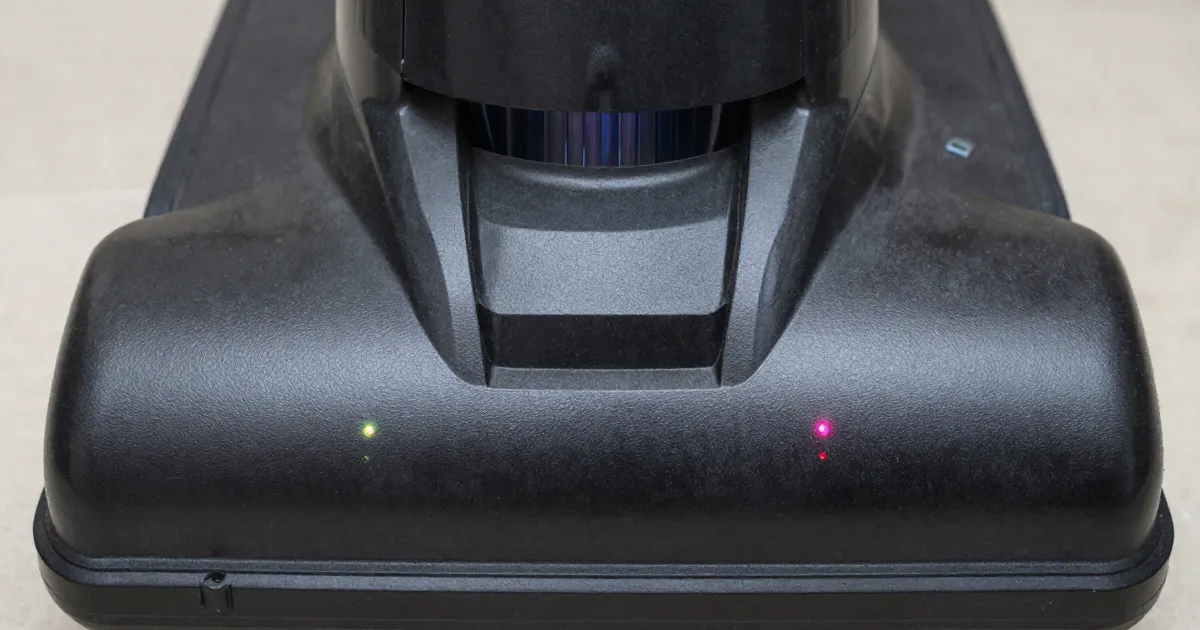
The short answer
Use the table to identify the alert on your floor washer, then follow the row for that exact model. This guide covers three brands whose support pages we opened: Tineco (iFloor 3 and FLOOR ONE S2), Roborock (Dyad WD1S1A) and eufy (WetVac). Match the product name and the indicator together before following a row. Each row applies only to the model it names.
Record the light before you act
Before changing a setting, photograph the display and note any spoken message. Write down the product name from the machine label, the indicator’s colour and whether it blinks or stays on. Also record what the machine was doing: cleaning the floor, sitting on its dock or running self-clean.
Spoken wording matters. The Roborock manual says that when an error occurs during operation, the vacuum stops and plays a voice alert, so the exact announcement belongs in your record. The linked Tineco pages for the iFloor 3 and FLOOR ONE S2 say not to press the trigger when checking any part of the machine unless the instructions tell you to.
What changes by model
| Model | Indicator or spoken prompt | What the source says to do | Source |
|---|---|---|---|
| Tineco iFloor 3 | Max indicator blinking | Check the brush roller and debris channel for a blockage and clear it. If blockage has made the machine hot, cool it for one hour before use | Tineco iFloor 3 Max page |
| Tineco iFloor 3 | CWT indicator blinking | Confirm there is water in the CWT and add enough. For continuing water-delivery trouble, use the spraying guide | Tineco iFloor 3 CWT page |
| Tineco FLOOR ONE S2 | Power indicator blinking | Check the brush roller and debris channel for a clog and clear it. If the machine is hot from blockages, let it cool for an hour before use | Tineco FLOOR ONE S2 page |
| Roborock Dyad WD1S1A | Error icon with the announcement “Error. Clear any blockages in the cleaning head and restart.” | Clear the cleaning head and restart. For safe access, use the Dyad section of the roller guide | Dyad manual, p. 017 |
| Roborock Dyad WD1S1A | Clean Tank Empty icon with “Clean water tank empty. Refill now.” | Refill the clean tank. If the alert returns after refilling, use tap water only, then follow the spraying guide | Dyad manual, pp. 017–018 |
| Roborock Dyad WD1S1A | Dirty Tank Full icon with “Dirty water tank full. Empty now.” | Empty the dirty tank before continuing | Dyad manual, pp. 012 and 017 |
| Roborock Dyad WD1S1A | ”Low battery. Recharge now.” | Recharge the battery. If the vacuum does not charge when docked, check the charging contacts, then use the charging guide | Dyad manual, pp. 017–018 |
| eufy WetVac | Spoken prompt that the clean water tank is short of water | Check whether the tank needs water; if it does, fill it to the MAX water line. If the warning persists, follow the port checks in the article | eufy WetVac support article |
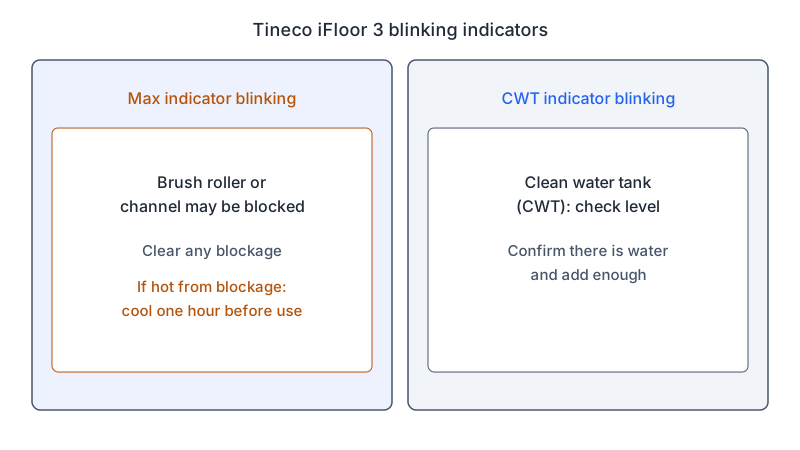
Tineco
For a blinking Max indicator on the iFloor 3, the iFloor 3 Max page gives two checks. One check asks whether the brush roller or debris channel is blocked; the other asks whether the machine is hot because of blockages. The one-hour cooling instruction belongs to that second check, so keep it attached to the Max indicator.
A blinking CWT indicator on the iFloor 3 is a different warning. The CWT page is headed “CWT indicator blinking”, and its step asks you to confirm there is water in the CWT, with the instruction to add enough. If the warning clears but water still does not reach the floor, continue with the spraying guide and its iFloor 3 section.
The FLOOR ONE S2 has its own page for a blinking power indicator, in the S2 troubleshooting guide. It lists two possible causes: a clogged brush roller or debris channel, or an overheated machine caused by blockages. Its actions match those two checks: clear the blockage, and let the machine cool for an hour before use if it is hot. Do not apply the iFloor 3 pages to the S2; the S2 page is the one that names the S2.
Roborock Dyad WD1S1A
The Dyad manual places its alert list on page 017. It covers the Error icon, the Clean Tank Empty and Dirty Tank Full icons, and the spoken low-battery and tank messages. Record the announcement before you choose a step, because the alert text names the action.
For the cleaning-head announcement, remove the Dyad from its dock and switch it off before maintenance. Then follow its section in the roller guide and restart.
The manual’s common-issues table on page 018 has two lines that matter here. For a Clean Water Tank Empty announcement that persists after refilling, it says to use tap water only and not purified water. For a machine that does not charge when docked, it says to check the charging contacts on the dock and on the body of the vacuum.
If you want to hear the announcements again, the manual gives the voice setting: in standby mode, press Clean and Change Language/Mode together for three seconds to turn voice alerts on or off. Check the screen as well when you record the fault.
eufy WetVac
The eufy article covers the spoken prompt that the clean water tank is short of water. It asks you to check whether the tank needs water and, if it does, to fill it up to the MAX line.
If refilling does not resolve the prompt, follow the eufy WetVac section of the spraying guide for the port checks. Match the prompt described in the linked eufy article to your unit.
Choose the guide for what happens next
After taking the action in the matching row, note whether the original alert clears and whether the original cleaning problem remains. Give support those two observations separately. An empty-tank request that returns immediately after filling is a different report from a machine that stops showing the request but still leaves the floor dry.
If the problem happens only when you press self-clean on the dock, use the self-cleaning guide and its matching model section. If the machine is waiting for charge, use the model-specific battery row above. Record the mode and the complete message before switching to another guide, since that detail is what selects the right instructions.
When the alert stays on
As a precaution, stop using the machine and contact the manufacturer if the matching action does not clear the alert. Send the product name and model number, a photo of the display, any recorded voice message, the mode in use and the action you already tried. For the eufy WetVac, the article specifically asks for a video if the port checks do not fix the problem.
If neither the alert nor the symptom matches a row, use the floor washer troubleshooting hub to choose a symptom guide. Follow only a section that names your product, and keep an unmatched alert for the manufacturer’s support team.
Frequently asked questions
How long should a hot Tineco iFloor 3 cool before use? The iFloor 3 Max page gives one hour, and it applies when blockage has made the machine hot.
What should I do if the Roborock tank alert returns after I refill? The Dyad manual says to use tap water only, not purified water. If the water still does not reach the floor, use the spraying guide.
What does eufy ask for if the warning stays on? The article asks you to email eufy support with a video showing the issue, after the port checks have been tried.
Not sure which guide fits? Use the symptom checker
Checked against
Models checked: Tineco iFloor 3; Tineco FLOOR ONE S2; Roborock Dyad (model WD1S1A); eufy WetVac. These are document checks, not hands-on tests.
- Tineco Support: Troubleshooting Guide for iFloor 3 (CWT indicator blinking) (support; accessed )
- Tineco Support: Troubleshooting Guide for iFloor 3 (Max indicator blinking) (support; accessed )
- Tineco Support: Troubleshooting Guide for FLOOR ONE S2 (power indicator blinking) (support; accessed )
- Roborock Wet and Dry Vacuum Cleaner User Manual (WD1S1A, CE EN, PDF) (manual; accessed )
- eufy: What should I do if my WetVac emits an audible voice prompt that says Clean water tank is short of water please fill it with water (support; accessed )