Wet-Dry Vacuum Mop Roller Not Spinning by Model
Short answer
Tineco iFloor 2 Complete covers roller tangles and fitting. BISSELL CrossWave Cordless 2551 and X7 cover spin tests; X7 also identifies obstruction lights. Roborock Dyad WD1S1A covers weekly roller cleaning, and Dyson WashG1 covers roller care and replacement.
Roller troubleshooting and maintenance by model
-
Check 1
Is the brush roller of your Tineco iFloor 2 Complete tangled?
Yes
Clean the brush roller and debris channel, then confirm the roller is installed properly.
No
-
Check 2
On your BISSELL CrossWave Cordless 2551, does the removed brush roll fail to spin freely?
Yes
The BISSELL page says a replacement brush roll is required when the brush does not spin freely.
No
-
Check 3
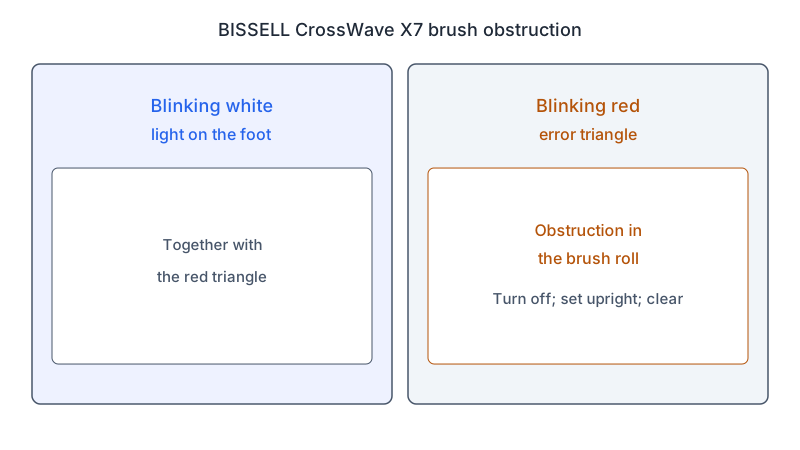
Does your BISSELL CrossWave X7 show a blinking white foot light and a blinking red error triangle?
Yes
The X7 page reads this as an obstruction in the brush roll. Turn the machine off, set it upright, and clear the roll, its ends, the gear and the housing.
No
-
Check 4
Is hair wrapped around the rollers of your Roborock Dyad WD1S1A?
Yes
The manual describes weekly roller cleaning, including removal, hair clearance and reinstallation; see the Dyad maintenance steps below.
No
-
Check 5
Does your Dyson WashG1 show a replace rollers alert?
Yes
Fit new rollers, then reset the lifetime counter as the manual directs.
No
None of these?
As a precaution, if the roller still does not turn after your model's checks, stop using the machine and contact the manufacturer.
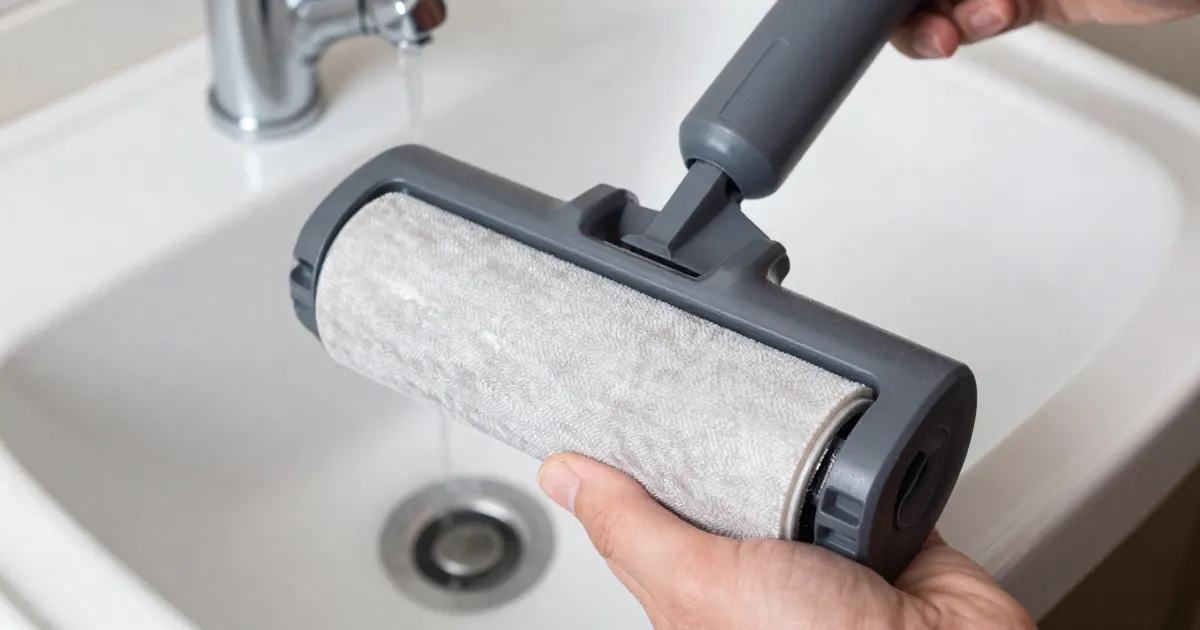
The short answer
As a precaution, start from your exact model, since the sources below give model-specific checks. The Tineco iFloor 2 Complete page checks for roller tangles and correct installation. The BISSELL CrossWave Cordless 2551 page and the BISSELL CrossWave X7 page (models 3011, 3055, 3276 and 3277) both describe a hand test of the removed brush roll, and the X7 page documents an obstruction light. The Roborock Dyad WD1S1A manual covers weekly roller cleaning, and the Dyson WashG1 manual covers roller lifespan, alerts and replacement.
Roller faults versus spray or pickup faults
As a precaution, note three things before handling removable parts: whether the roller turns at all, whether the cleaner still sprays, and whether a light or alert shows. Guides for the other symptoms: no spray, weak pickup and streaks.
What changes by model
The table summarizes each source by model or model group. Each row links to the page or manual it comes from.
| Model | What the source says about the roller | Source |
|---|---|---|
| Tineco iFloor 2 Complete | Asks whether the brush roller is tangled and says to clean the brush roller and debris channel; a second check confirms the brush roller is installed properly | Tineco iFloor 2 Complete page |
| BISSELL CrossWave Cordless 2551 | Recline to start the brush roll; unplug, remove and hand-test it; replace it if it does not spin freely; clear the plastic drive gear | BISSELL CrossWave Cordless page |
| BISSELL CrossWave X7 (models 3011, 3055, 3276, 3277) | A blinking white foot light with a blinking red error triangle on the LED display indicates an obstruction in the brush roll; clear the roll, its ends, the gear and the housing; a roll that does not spin needs replacing | BISSELL CrossWave X7 page |
| Roborock Dyad WD1S1A | Weekly roller cleaning: remove the front roller, cut away entangled hair with the maintenance brush, pull off the roller side cap, then refit the rollers on the sides their red and blue marks indicate | Roborock Dyad user manual, CE English edition |
| Dyson WashG1 | Roller lifespan of 25 hours; a replace-rollers alert with a QR code for ordering; the lifetime counter is reset when new rollers are fitted | Dyson WashG1 manual, Singapore edition |
Tineco iFloor 2 Complete
The Tineco iFloor 2 Complete page cautions against pressing the trigger during checks unless prompted. It then asks whether the brush roller is tangled and directs cleaning of the roller and debris channel, followed by checking correct roller installation.
BISSELL
The two BISSELL pages describe different models, so their steps are kept apart below.
CrossWave Cordless 2551. Power on, select Rug or Hard Floor mode, and recline to activate the roll. If the roll fails to spin or the machine soon stops, unplug, remove the window and roll, and inspect the roll and ends for hair and debris. Hold the colored pull tab and spin the roll; restricted rotation calls for a replacement from Parts & Accessories. Next, clear the plastic drive gear. Refit the gray-tipped end on the right and press the colored tab until it clicks. Align the window tabs with the foot and click the window into place. Power on, recline the handle and press Hard Floor or Rug to test.
CrossWave X7 (models 3011, 3055, 3276 and 3277). The page has you power on and recline the machine to activate the brush roll. A blinking white light on the foot together with a blinking red error triangle on the LED display indicates an obstruction in the brush roll. Turn the machine off and set it upright, press the button on top of the foot to remove the brush window, then pull the tab on the left side to remove the roll. Clear hair and debris from the roll, its ends, the brush gear and the housing. Hold the colored tab and spin the other end; if the roll does not spin, the page says you need a replacement brush roll. Check the end opposite the tab for significant wear and clear debris. Clear and hand-turn the foot gear; a stuck gear leads to Parts & Accessories. For reinstallation, use a different roll if available. Fit its end on the right and click the tab down. Align the window tabs with the foot and rotate the window until it clicks. Power on, recline and test.
Roborock Dyad WD1S1A
The CE English edition of the Roborock manual lists model WD1S1A in its specifications. Its weekly “Cleaning the Rollers” routine starts by removing the vacuum from the dock with it switched off, then flipping out the stand and placing the vacuum securely. Release and remove the splash guard, release the front roller on the left, then rotate and withdraw the rear rollers as illustrated. Use the maintenance brush to cut tangled hair and remove embedded debris. Remove the side cap, clear hair and replace it. Align the front roller with the right shaft, then seat its left end. Hook and click the splash guard into place. Place the red rear roller on the left and blue on the right; align, rotate and push them onto their shafts as illustrated. The weekly head-cleaning routine removes the dirty tank and rollers, brushes the roller slot and dirty-water pipe, then refits the parts.
Dyson WashG1
The Singapore edition of the Dyson WashG1 manual (document N693, hosted on dyson.co.uk) covers roller care in its maintenance sections. Under The LCD screen, Replacement rollers recommends replacement around 6 months, depending on usage, with an alert, ordering QR code and counter reset when fitting new rollers. Under Regular maintenance, Replacing the rollers gives a 25-hour lifespan. For washing, press the red catch, slide out the assembly and detach the rollers. Wash them with warm water and detergent, squeeze, dry and refit to the end cap. Slide the assembly into the head until it clicks. Hair wrapped around the separate debris brush bar is cut away with scissors before that bar is washed.
Roller troubleshooting and maintenance by model
As a precaution, match the check to your model and to the light or alert you see.
- Hair and debris. Tineco iFloor 2 Complete: clean the brush roller and debris channel. Roborock Dyad WD1S1A: cut away entangled hair with the maintenance brush, then clear hair under the side cap. Dyson WashG1: cut hair wrapped around the debris brush bar with scissors. BISSELL CrossWave Cordless 2551 and X7: clear hair from the roll ends and from the gear in the foot.
- Seating. Tineco iFloor 2 Complete: confirm the brush roller is installed properly. Roborock Dyad WD1S1A: line the right side of the front roller up with the shaft and push the left side into its slot. BISSELL CrossWave Cordless 2551 and X7: press the colored tab until it clicks, and reattach the window until it clicks.
- Gear. BISSELL CrossWave Cordless 2551: check the plastic drive gear where the roll inserts. BISSELL CrossWave X7: clear and hand-turn the foot gear; if stuck, follow the Parts & Accessories link.
- Replacement. BISSELL CrossWave Cordless 2551: a roll that does not spin freely needs a replacement. BISSELL CrossWave X7: a roll that does not spin needs replacing. Dyson WashG1: the manual recommends replacing the rollers at around 6 months, depending on usage, and the machine alerts when they need changing.
When to contact the manufacturer
As a precaution, if the roller is clear, seated and still does not turn, stop using the machine and contact the manufacturer with the model number, any light or alert shown, and the roller part number. On the BISSELL CrossWave X7, the blinking white and red lights point to an obstruction in the brush roll, and the page’s steps clear that obstruction before the test. If the brush still does not turn, the page directs you to contact BISSELL.
For a stick vacuum with the same symptom, see the cordless brush-bar guide. For other wet-dry symptoms, see the troubleshooting hub and the error lights guide.
Questions readers ask
Which BISSELL pages say a roll must be replaced? The CrossWave Cordless 2551 page says a replacement brush roll is required when the brush does not spin freely. The CrossWave X7 page says that if the roll does not spin, you need a replacement brush roll.
What does the blinking light on the BISSELL CrossWave X7 mean? The X7 page says a blinking white light on the foot together with a blinking red error triangle on the LED display indicates an obstruction in the brush roll.
How often should Dyson WashG1 rollers be replaced? The Singapore edition of the manual recommends replacing them at around 6 months, depending on usage, and the machine alerts you when they need changing. The manual also gives a roller lifespan of 25 hours.
Not sure which guide fits? Use the symptom checker
Checked against
Models checked: Tineco iFloor 2 Complete; BISSELL CrossWave Cordless (model 2551); BISSELL CrossWave X7 (models 3011, 3055, 3276, 3277); Roborock Dyad WD1S1A; Dyson WashG1 (Singapore edition of the manual). These are document checks, not hands-on tests.
- Tineco Support: iFloor 2 Complete troubleshooting (brush roller not spinning) (support; accessed )
- BISSELL: CrossWave Cordless brush not turning (support; accessed )
- BISSELL: CrossWave X7 brush not turning (support; accessed )
- Roborock Wet and Dry Vacuum Cleaner User Manual (WD1S1A, CE EN, PDF) (manual; accessed )
- Dyson WashG1 user manual (SG, N693) (manual; accessed )