Robot Vacuum Battery Signs and Replacement Routes by Model
Short answer
As a precaution, stop charging and using a robot whose battery is damaged or modified, and check your exact model's manual or support page for the signs and replacement route its maker documents.
Battery warning signs and replacement route by model
-
Check 1
Is the battery pack damaged or modified?
Yes
As a precaution, stop charging and using the robot, do not open or repair the pack, and contact the manufacturer.
No
-
Check 2
Does your fully charged eufy RoboVac run briefly or stop without beeps or LED in Auto Clean with Standard suction?
Yes
eufy says to replace the battery as soon as possible. Use the video instructions for the Bounce, G or X series, or contact eufy support for the L70 Hybrid.
No
-
Check 3
Does your Roborock S4 Max, Q5+ or S7 report Error 12 or Error 14?
Yes
Error 12: recharge. Error 14: battery error. For the S4 Max, wait for normal temperature; for Q5+ and S7, do so if battery temperature is abnormal.
No
-
Check 4
Is a service route named for your exact model?
Yes
Use the route named for your model: a qualified repair person for the S4 Max, skilled persons for the S7, Customer Service for the DDX57.
No
None of these?
As a precaution, if the cause or replacement route is unclear, contact the manufacturer with the model number and error code.
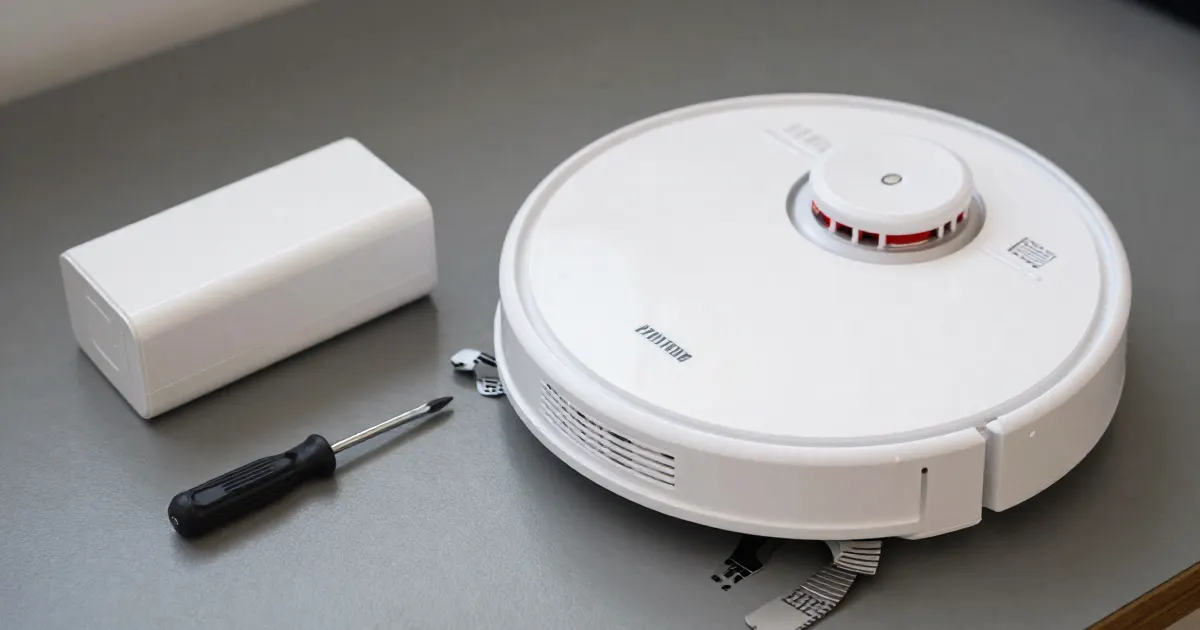
Each manufacturer documents its own battery signs, replacement routes and storage rules. This guide sets them out by maker and model, so that each sign is matched to the model that documents it.
Battery signs and lifespan by maker
The signs below come from each maker’s documentation and apply to the models or series named beside them.
- eufy (Ireland page, RoboVac in general): the page estimates lithium-ion battery lifespan at “300 to 500 charging cycles” and says performance may decline after one year with at least one full cleaning cycle daily. It recommends replacement for short runtime or stopping without beeps or an LED in Auto Clean with Standard suction despite a full charge, or a constantly solid red LED while charging on the base.
- ECOVACS DEEBOT (US FAQ): cleaning time shortens when the battery reaches the end of its service life. The FAQ calls the DEEBOT battery long-life.
- ECOVACS DEEBOT DDX57 (manual): a battery that is over-discharged or has not been used for a long time may fail to charge, and the manual says to contact ECOVACS for help.
- Samsung Jet and Jet Bot series (UAE page): the vacuum powers on briefly and then shuts down unexpectedly; the battery takes longer to charge or fails to hold a charge; runtime drops significantly despite full charging.
Battery packs and replacement routes
- Roborock S4 Max: the manual asks for “specifically designated battery packs”, and calls for servicing “by a qualified repair person” with identical replacement parts.
- Roborock S7: the manual says the batteries are “replaceable by skilled persons”.
- ECOVACS DEEBOT DDX57: the manual says the batteries are “replaceable by skilled persons” and adds, “To replace the robot’s battery, please contact Customer Service.” It also calls for the original rechargeable battery supplied by the manufacturer.
- eufy: the page asks owners to verify their RoboVac model before buying a replacement. It links video instructions for the Bounce and G series and, separately, for the X series. For the L70 Hybrid it says, “please contact us to order the battery.”
- Samsung Jet and Jet Bot series (UAE page): under the not-turning-on steps, a battery that will not charge may need replacement: “Purchase a compatible Samsung battery and install it.”
What changes by model
The table lists each model’s documented signal and its replacement or handling route. The eufy page is the Ireland version, the Samsung page is the UAE version, and the ECOVACS FAQ is the US version.
| Model or series | Signal documented | Replacement or handling documented | Source |
|---|---|---|---|
| Roborock S4 Max | Red power light below 20%; Error 12 “Battery level is too low”; Error 14 “Battery error” | Servicing by a qualified repair person, with identical replacement parts | S4 Max manual |
| Roborock Q5+ (Q340RR) | Red power light below 20%; Error 12 “Low battery”; Error 14 “Battery error” | Recycling “through local authorities” or a battery recycling facility | Q5+ manual |
| Roborock S7 | Red power light below 20%; Error 12 “Low battery”; Error 14 “Battery error” | Batteries “replaceable by skilled persons” | S7 manual |
| eufy RoboVac Bounce and G series | Short runtime, or a stop without beeps or LED, despite a full charge in Auto Clean with Standard suction; solid red LED while charging on the base | Video instructions for replacing the battery | eufy Ireland page |
| eufy RoboVac X series | Error S1 during cleaning (G, L and X series); the short-runtime sign | Video instructions for the X series | eufy Ireland page |
| eufy RoboVac L70 Hybrid | The general RoboVac signs listed on the page | Order the battery by contacting eufy support | eufy Ireland page |
| ECOVACS DEEBOT (US FAQ) | Cleaning time shortens at the end of service life | ”Replace the battery.” | ECOVACS FAQ |
| ECOVACS DEEBOT DDX57 | Over-discharged or long-unused battery may fail to charge | Contact Customer Service to replace the battery | DDX57 manual |
| Samsung Jet and Jet Bot series (UAE page) | Powers on briefly then shuts down; slower charging or no hold on charge; runtime drop despite full charging | Under not-turning-on steps, if the battery will not charge: “Purchase a compatible Samsung battery and install it.” | Samsung UAE page |
Roborock
The S4 Max manual gives the battery as a 14.4V/5200mAh lithium battery. Its power indicator is white at 20 percent or above and red below 20 percent, and flashes red for an error. Its Error 14 reads “The battery temperature is either too high or too low. Wait until it returns to normal.”
The Q5+ manual (model Q340RR) and the S7 manual (model roborock S7) share the same Error 12 and Error 14 wording: “Low battery. Recharge and retry.” and “Battery error.” Their troubleshooting notes add: “If the battery is at an abnormal temperature, wait for it to return to normal before use.”
eufy
eufy’s page separates the series. It links video instructions for the Bounce and G series and, separately, for the X series. While charging on the base, repeated four or five beeps with a red LED apply to Bounce models; stopping with Error S1 during cleaning applies to the “G, L, and X series”. The L70 Hybrid is handled differently: its battery is ordered through eufy support.
ECOVACS
The US FAQ names DEEBOT as a product line and says to replace the battery once cleaning time shortens at the end of service life. The DDX57 manual sets a storage routine: “Please recharge it every 1.5 months to prevent the battery from over-discharge.”
Samsung
The UAE page names the “Jet series, Jet Bot series, and other cordless vacuum lines” and points readers to their user manual for “model-specific guidance”. Its “When should I replace the battery?” section lists the three signs above. Its replacement step sits under the not-turning-on steps.
Storage and charging intervals by model
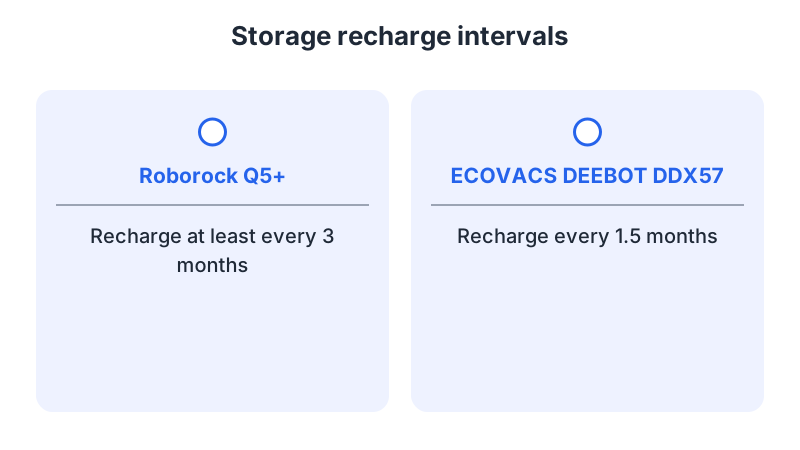
- Roborock S4 Max: for a long period of nonuse, fully charge and switch off the robot before storing it in a cool, dry place, and charge it at least every three months to avoid over-discharge. The manual also says, “Do not use the product when the temperature is higher than 40°C or lower than 4°C.”
- Roborock Q5+ and S7: both manuals say, “Recharge it at least every three months to prevent the battery over discharging.” The Q5+ manual gives the temperature limit as “higher than 40°C (104°F) or lower than 4°C (39°F)”.
- ECOVACS DEEBOT DDX57: “Please fully charge and switch OFF DEEBOT before storage. Please recharge it every 1.5 months to prevent the battery from over-discharge.”
Safety lines from the manuals
The S4 Max manual says, “Do not use a battery pack or appliance that is damaged or modified,” because “Damaged or modified batteries may exhibit unpredictable behavior resulting in fire, explosion or risk of injury.” It also says to keep the pack away from other metal objects when not in use, since “Shorting the battery terminals together may cause burns or a fire.”
The Q5+ and S7 manuals say, “Do not dismantle, repair or modify the battery or charging dock.” The DDX57 manual says, “Do not disassemble the battery by yourself,” and warns that “The batteries can explode in a fire.”
As a precaution, stop charging and using a robot with a damaged or swollen battery, avoid pressing on or forcing out the pack, keep exposed terminals away from metal, and contact the manufacturer with the model number and error code before handling it. As a precaution, follow the collection service’s instructions before transporting the pack.
Recycling and disposal
The Q5+ manual says, “The battery should then be properly recycled either through local authorities or by providing the batteries to a battery recycling facility.” The DDX57 manual says, “Please dispose of used batteries according to local laws and regulations,” and adds, “Do not incinerate the Appliance even if it is severely damaged.”
When to contact the manufacturer
The ECOVACS FAQ says, “If the problem persists, please contact ECOVACS Customer Service.” The DDX57 storage section adds, “Please contact ECOVACS for help.”
For charging alerts, see the charging error checks. A robot that fails to start has its own checks in won’t turn on. Battery questions for cordless stick vacuums are covered in cordless vacuum battery replacement.
Frequently asked questions
Which replacement route applies to my robot? eufy links video instructions for the Bounce and G series and separately for the X series, and asks L70 Hybrid owners to contact support. The Roborock S4 Max manual calls for servicing by a qualified repair person, and the DEEBOT DDX57 manual asks owners to contact Customer Service.
Is a pack of the same size and connector enough? The S4 Max manual calls for “specifically designated battery packs” and warns that any other pack “may create a risk of injury and fire.” eufy asks owners to verify their RoboVac model before buying a replacement battery.
How are damaged or swollen packs handled? As a precaution, stop charging and using the robot, and contact the manufacturer before handling the pack. The DDX57 manual says, “Please dispose of used batteries according to local laws and regulations.”
Not sure which guide fits? Use the symptom checker
Checked against
Models checked: Roborock S4 Max user manual; Roborock Q5+ (Q340RR) user manual; Roborock S7 user manual; eufy RoboVac support page (Ireland); ECOVACS DEEBOT US FAQ 143; ECOVACS DEEBOT DDX57 user manual; Samsung Jet and Jet Bot support page (UAE). These are document checks, not hands-on tests.
- Roborock S4 Max Robot Vacuum Cleaner User Manual (manual; accessed )
- Roborock Q5+ Robotic Vacuum Cleaner User Manual (manual; accessed )
- Roborock S7 Robot Vacuum Cleaner User Manual (manual; accessed )
- When should I replace the battery on my eufy RoboVac? (support; accessed )
- ECOVACS US FAQ: DEEBOT cleans for a short period of time then returns to the Charging Dock (support; accessed )
- ECOVACS DEEBOT DDX57 user manual (OMNI station, PDF) (manual; accessed )
- Samsung UAE support: vacuum troubleshooting and battery replacement (support; accessed )