Robot Vacuum Keeps Stopping? Read the Error Before Resetting
Short answer
As a precaution, record the message and location before resetting. For the Roborock Q5+ and S7, use the manual section matching a pause, error alert or low-battery return.
Robot vacuum keeps stopping: read the error before resetting
-
Check 1
On a Roborock Q5+ or S7, does the power indicator flash red quickly with a voice alert?
Yes
The Q5+ and S7 manuals identify this as an error. Match the code to your model's error table.
No
-
Check 2
Is there a burning odor, abnormal heat or visible damage?
Yes
As a precaution, stop use and charging. Keep the exact message and job history for the manufacturer.
No
-
Check 3
Is a brush or wheel jammed?
Yes
As a precaution, switch the robot off before clearing the jam.
No
-
Check 4
On a eufy G series robot, does Error 5 report that it is physically stuck?
Yes
Pause it, then clear surrounding obstacles or move it to another location, as the Error 5 page says.
Open the guideNo
-
Check 5
Is the alert Error 26 on a Roborock Q5+ or an iRobot i/j or Combo 10 Max?
Yes
Roborock Q5+: clean the wall sensor. iRobot i/j or Combo 10 Max: clean or replace the bin filter, then run again.
No
-
Check 6
On a Roborock S7, is Error 23 shown: could not return to dock?
Yes
Clean the dock location beacon and retry, as the S7 Error 23 text says.
No
-
Check 7
On a Roborock Q5+ or S7, is Error 12 reporting a low battery?
Yes
Recharge the robot and retry, as the Roborock Error 12 text says.
No
None of these?
As a precaution, if the fault returns after maintenance, contact support with the model, error code and steps taken.
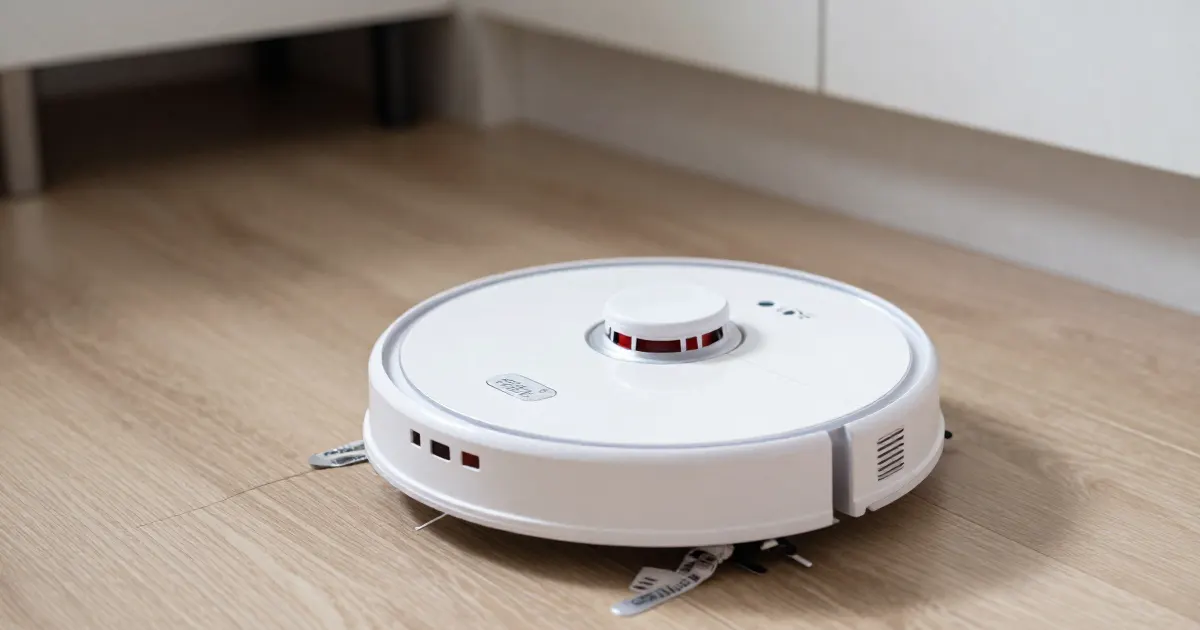
A stopped robot has several possible states
As a precaution, check the exact message before restarting, moving or resetting a stopped robot. The Roborock Q5+ and S7 manuals describe pauses, error alerts, low-battery returns and DND settings; use the instructions for your model and observed state.
As a precaution, check any status or message available in the app and on the robot. If the robot is unreachable in the app, use the Wi-Fi checks to investigate.
As a precaution, record the exact message, the room and the time before you move or reset the robot, because a reset can erase the context that explains the stop. As a precaution, if there is a burning smell, abnormal heat or visible damage, stop use and charging.
A pause without a return
On the Roborock Q5+, pressing any button while it runs pauses it. Press Power/Clean to resume or Dock/Spot Clean to return to the dock. On the S7, press Clean/Power to resume or Dock to return.
A paused Q5+ can also enter sleep mode. The Q5+ manual says: “If the robot is paused for over 10 minutes, it will go to sleep, and the power indicator will flash every few seconds.” As a precaution, check the power indicator before assuming a fault.
On the Q5+ and S7, placing a paused robot on the dock by hand ends the current cleanup. The S7 manual says: “Placing a paused robot on the charging dock will end the current cleanup.” The Q5+ manual gives the same warning. As a precaution, if you want the same job to finish, do not place a paused robot on the dock by hand.
The S7 manual says DND is enabled by default from 22:00 to 08:00. During DND, cleaning stops, voice prompts are silenced and the power indicator dims. On the Q5+, DND prevents automatic resumption, dims the power indicator and lowers voice-prompt volume.
A stop with an alert
The Q5+ and S7 manuals distinguish an error signal from a button-initiated pause. The S7 manual says: “If an error occurs, the power indicator flashes red quickly, and a voice alert sounds.” The Q5+ manual says the indicator will “flash red and a voice alert will sound.”
Match the code to your model’s table. The same number can mean different things: Error 26 is a dirty wall sensor on the Roborock Q5+, but insufficient airflow on the iRobot i/j and Combo 10 Max.
Charging and dock alerts. On the Q5+, Error 13 reads “Charging error. Clean charging contacts and retry.” The S7 uses the same wording for Error 13, and its Error 23 reads “Could not return to dock. Clean dock location beacon and retry.” For base-side causes, see the return-to-dock guide.
Sensor and airflow alerts. On the Q5+, Error 26 reads “Wall sensor dirty. Clean wall sensor.” The iRobot article for the i/j series and Combo 10 Max describes Error 26 as insufficient airflow. It says to clean or replace the bin filter and run the robot again. The filter must not be washed or exposed to liquid; the rinsed bin must be completely dry before reassembly. If the error persists, it describes a reboot: hold CLEAN for nine seconds on the j Series and 10 Max, or twenty seconds on the i Series.
Stuck and cliff alerts. The iRobot 800 series chart lists Error 1, a stuck robot, and Error 6, a cliff alert. For each, move the robot to a new location and press CLEAN. For Error 1-4, reinstall the bin and press CLEAN. The eufy G series Error 5 page says Error 5 means the robot is physically stuck. Its steps are to pause the robot, clear obstacles or move it, and check the bumper and wheels.
Restricted-area alerts. The eufy L70 Hybrid Error 17 page says the error is triggered when the robot detects a restricted area, which a virtual No-Go or No-Mop zone set in the eufy Clean app can cause. Its steps are to pause, move the robot farther from the zone, and resume cleaning to check that it can finish its cycle.
Jam alerts. As a precaution, switch the robot off before clearing a brush or wheel jam.
A low battery before the end
The Q5+ manual says: “If the battery runs low during the cleaning cycle, the robot will automatically return to the dock. After charging, the robot will resume where it left off.” The S7 manual says the robot “will automatically return to the charging dock to top up and continue where it left off.”
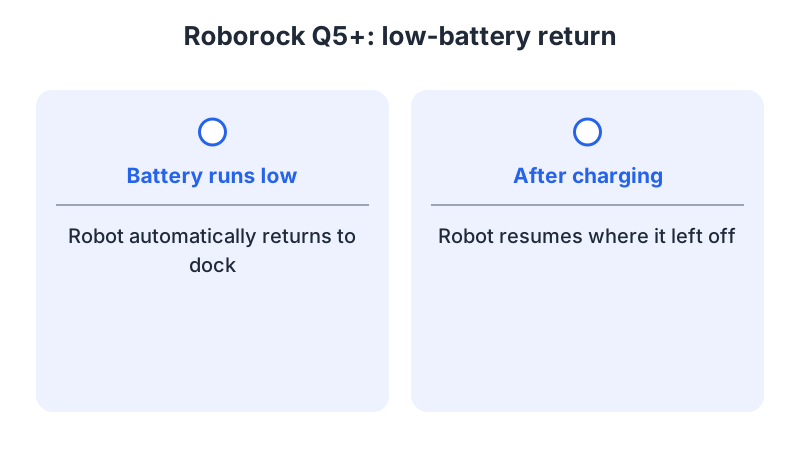
As a precaution, if the robot stops without returning, record its message and consult the instructions for that model. A low battery shows as Error 12 on both Roborock models: “Low battery. Recharge and retry.” On the iRobot 800 series, the chart describes a spoken prompt asking the user to charge the robot, and lists a discharged battery as the cause.
Both manuals list DND and manual docking as conditions affecting resumption after charging. The Q5+ manual says: “if the robot was placed manually on the charging dock before it returned to the dock automatically, it will not be able to continue cleanup.” The S7 gives the same warning for a cleaning job requiring a top-up charge.
Resuming a cleaning
On the Q5+, press Power/Clean to resume after a pause; on the S7, press Clean/Power. For eufy L70 Hybrid Error 17, resume after moving away from the restricted zone. On the eufy G series, the Error 5 page says to start the robot to verify that it can navigate and clean. On the iRobot 800 series, press CLEAN after relocating for Error 1 or 6, or reinstalling the bin for Error 1-4.
The Q5+ manual says a system reset restores scheduled cleaning and Wi-Fi to factory settings. As a precaution, save screenshots of app settings before any reset that deletes maps, schedules or zones. As a precaution, do not replace the battery or erase the map as a default response to a stop. As a precaution, if the same fault returns after the documented checks, contact support with the model, the code and the steps already taken.
What changes by model
The table compares selected alerts and their documented steps.
| Model | Stop or alert | Documented step | Source |
|---|---|---|---|
| Roborock Q5+ | Error 12, low battery | Recharge and retry | Q5+ manual |
| Roborock Q5+ | Error 13, charging | Clean charging contacts and retry | Q5+ manual |
| Roborock Q5+ | Error 26, wall sensor | Clean the wall sensor | Q5+ manual |
| Roborock S7 | Error 12, low battery | Recharge and retry | S7 manual |
| Roborock S7 | Error 23, could not return to dock | Clean dock location beacon and retry | S7 manual |
| iRobot 800 series | Error 1 or 6, stuck or cliff | Move to a new location, then press CLEAN | 800 series chart |
| iRobot 800 series | Error 1-4, bin | Reinstall the bin, then press CLEAN | 800 series chart |
| iRobot i/j and Combo 10 Max | Error 26, insufficient airflow | Clean or replace the bin filter, then run again | Error 26 article |
| eufy G series | Error 5, physically stuck | Pause, clear obstacles or move the robot, then start it | G series Error 5 |
| eufy L70 Hybrid | Error 17, restricted area | Pause, move farther from the zone, then resume | L70 Hybrid Error 17 |
Roborock: Q5+ and S7
Both the Q5+ and S7 list Error 16 for a tilted robot and instruct moving it to level ground and restarting. For a dirty wall sensor, the Q5+ uses Error 26 and the S7 uses Error 15. The S7 also lists Error 28 for a robot on carpet and instructs moving it to the floor and retrying.
iRobot: 800 series and i/j with Combo 10 Max
Its Error 1 and Error 6 entries share the move-and-CLEAN step. The i/j and Combo 10 Max article covers Error 26, an airflow alert rather than a stuck robot. Its reboot timing differs by series: nine seconds on the j Series and 10 Max, twenty on the i Series.
eufy: G series and L70 Hybrid
The G series Error 5 page covers the G series in general, so its steps apply to that series. The L70 Hybrid Error 17 page names the L70 Hybrid, and its steps are pause, move and resume.
Frequently asked questions
Is one error code the same on every brand?
No. Error 26 is a dirty wall sensor on the Roborock Q5+ and insufficient airflow on the iRobot i/j and Combo 10 Max. Use the manual for your exact model.
Should I reset the robot right away?
As a precaution, no. Follow the step for your exact model and code, and save screenshots before any reset that deletes settings.
Why did the robot not finish after charging?
On the Q5+ and S7, the manuals say cleaning cannot continue if the robot was placed on the dock by hand before it returned on its own. For physical traps, use the stuck-robot checks; when the route is wrong without an alert, see the mapping problems guide.
Not sure which guide fits? Use the symptom checker
Checked against
Models checked: Roborock Q5+; Roborock S7; iRobot 800 series; iRobot i/j and Combo 10 Max; eufy G series; eufy L70 Hybrid. These are document checks, not hands-on tests.
- Roborock Q5+ manual (Q340RR) (manual; accessed )
- Roborock S7 robotic vacuum cleaner user manual (manual; accessed )
- iRobot Error 26, i/j and Combo 10 Max (support; accessed )
- iRobot 800 series error message chart (support; accessed )
- What Should I Do If My G Series RoboVac Model Stops with Error 5 (support; accessed )
- What Should I Do if My RoboVac L70 Hybrid Stops with Error 17 (support; accessed )