Robot Vacuum Won't Turn On? Model-Specific Power Checks
Short answer
The checks below cover specific Roomba model groups, Roborock Q5+/S7/S5 Max, eufy G+ series, ECOVACS DDX57 and Samsung Bespoke Jet Bot Combo. The Roomba POWER procedure has model-specific conditions; the three Roborock manuals specify 4-40°C (39-104°F).
Robot vacuum will not turn on: match your model
-
Check 1
Is your new Roomba 100/1000, 200/2000 or Max 700 Vac shutting down, unresponsive, or failing to gain charge?
Yes
Off dock on a level surface, hold POWER for at least 30 seconds, release and tap to check the lights stay off; dock within 4 minutes.
No
-
Check 2
Does your Roomba 100/1000, 200/2000, Plus 400 or Plus 500 die off the dock or fail to gain charge?
Yes
Off dock on a level surface, hold POWER for at least 30 seconds, release and tap to check the lights stay off; dock within 4 minutes.
No
-
Check 3
Is your Roborock Q5+, S7 or S5 Max unable to power on?
Yes
Charge it on the dock if the battery is low, and use it only within 4-40°C (39-104°F).
No
-
Check 4
Does your eufy G+ series charge but not start cleaning?
Yes
Turn on the side main power switch, then press the start button on the top panel.
No
-
Check 5
Is your ECOVACS DEEBOT DDX57 dark with the switch under its cover off?
Yes
Set the switch under the robot cover to ON (marked I), then place the robot in front of its Station connected to power.
No
-
Check 6
Is your Samsung Bespoke Jet Bot Combo unresponsive?
Yes
Turn off the bottom power switch for at least 5 seconds, turn it on, then press Start/Stop on the vacuum, not the remote.
No
None of these?
As a precaution, if the robot stays unresponsive after the checks for your model, contact its manufacturer with the model number and the steps you tried.
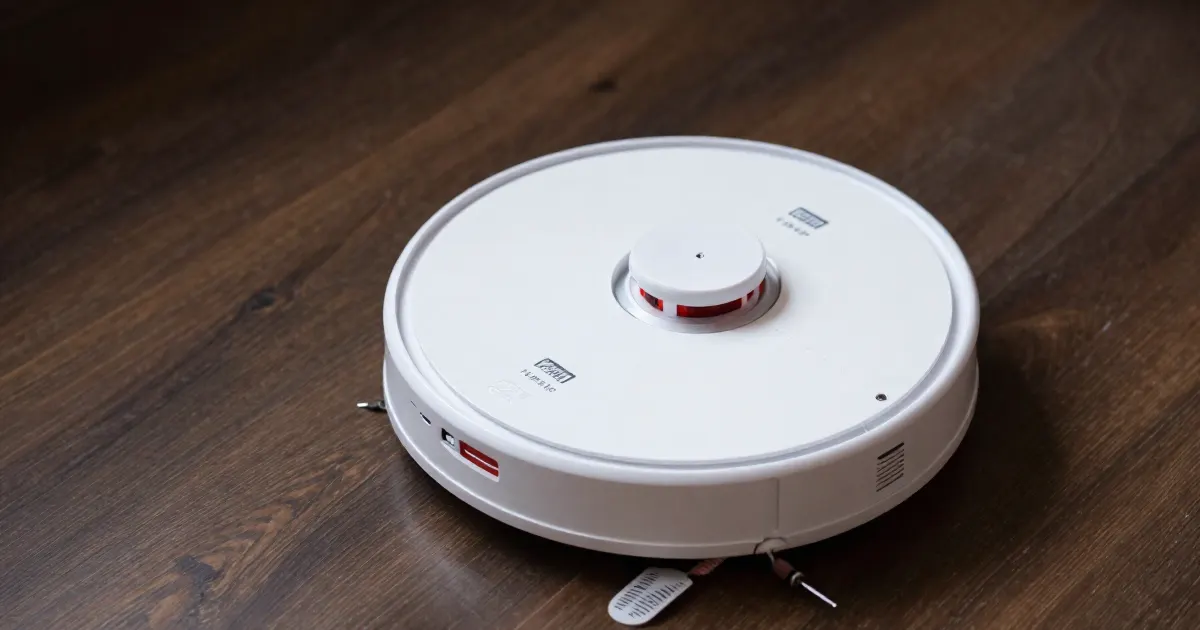
Power-on checks by brand and model
As a precaution, use the troubleshooting instructions for the exact brand and model printed on your robot when it will not start. The sources below give different steps: iRobot’s POWER hold, Roborock’s battery-temperature range, eufy’s side switch, the ECOVACS switch under the cover, and Samsung’s bottom-switch cycle. As a precaution, match your model and its symptoms to a table row before following the procedure described in that section.
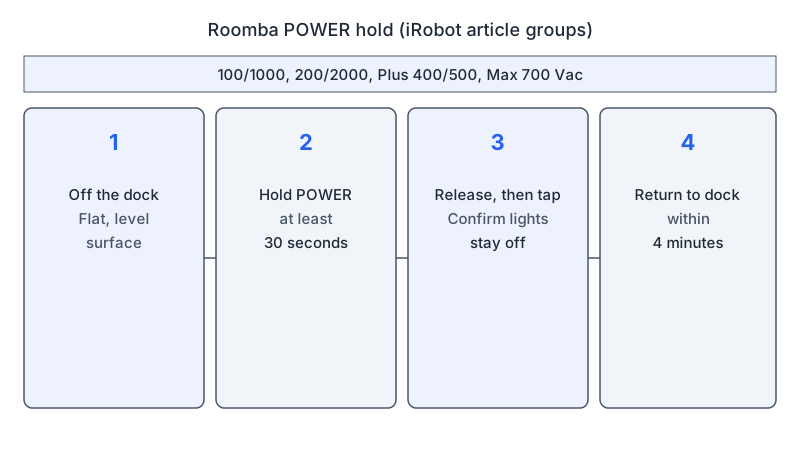
The cited procedures name different controls: iRobot uses POWER, eufy G+ uses a side switch, and the DDX57 manual locates its power switch under the cover. The Roborock instructions below come from three separate model manuals.
What changes by model
Each row links to its source. As a precaution, check the model and symptom details in the corresponding section before applying its instructions.
| Brand and model | Power or charging check in the source | Documented step |
|---|---|---|
| iRobot Roomba 100/1000, 200/2000, Plus 400/500, Max 700 Vac | Shutdown or charging symptoms for the two Roomba model groups described below | POWER hold for at least 30 seconds off the dock, then return to the dock within 4 minutes |
| Roborock Q5+ | Battery level and battery temperature, 4-40°C (39-104°F) | Charge on the dock, use only within the temperature range, check the power indicator and both ends of the cable |
| Roborock S7 | Low battery or battery temperature outside 4-40°C (39-104°F) | Charge on the dock; use within the stated range; for charging problems, check the power indicator and both cable ends |
| Roborock S5 Max | Same temperature range; charging dock not receiving power | Check both ends of the power cable when the charging dock gets no power |
| eufy G+ series | Charges but will not start cleaning | Side main power switch on, then the start button on the top panel |
| ECOVACS DEEBOT DDX57 | Power switch under the robot cover | Set the switch to I (ON) and place the robot in front of its Station connected to power |
| Samsung Bespoke Jet Bot Combo | Bottom power switch; dock and outlet | Switch off for at least 5 seconds, switch on, then Start/Stop on the vacuum |
As a precaution, use each row together with its model section and the linked manufacturer instructions, checking the model label and the symptoms before operating any controls. The table summarizes power and charging checks; the sections below give their conditions, locations, timing, and source-specific details.
iRobot Roomba and Max 700 Vac
iRobot’s article covers Roomba 100/1000, 200/2000, Plus 400/500 and Max 700 Vac robots. Its POWER hold is listed for two groups. One group is new Roomba 100/1000, 200/2000 and Max 700 Vac series robots that shut down immediately after leaving the dock, fail to gain battery charge, or become unresponsive. The other group is the 100/1000, 200/2000, Plus 400 and Plus 500 when they die off the dock or their battery percentage stops rising. The article gives the same POWER steps under both groups: take the robot off the dock, set it on a flat, level surface, press and hold POWER for at least 30 seconds, release it, and tap POWER to confirm that no lights come on. Then return the robot to the charging dock within 4 minutes.
For an AutoEmpty dock, the article says to unplug the line cord from the outlet and the dock, plug it back in firmly, and test the outlet with another device. A damaged cord needs replacing. If the cord is fine and the dock still gets no power, the article says the dock needs replacing.
For Roomba Essentials 1, Roomba 200/2000 series, and Roomba 100/1000 with the standard charging dock, the article specifically instructs owners to check that the cord is fully inserted at both ends. This cord check appears in the dock-power section, alongside the separate AutoEmpty dock procedure described above.
For contacts, the article says to unplug the dock and clean the robot and dock contacts with clean, lightly dampened melamine foam or a lightly dampened cloth, which it names as the only two acceptable materials. On AutoFill and AutoWash docks, press the button where the wheels sit to expose the contacts.
Roborock Q5+, S7 and S5 Max
The three Roborock manuals share the same temperature rule. The Q5+ and S7 list “Unable to power on” in Common Issues; the S5 Max lists it in FAQs. Those entries identify a low battery level and a battery temperature outside the operating range. Each gives the range as 4-40°C (39-104°F).
The low-battery note in each manual’s power-on-and-charge section differs by model. The Q5+ and S7 manuals say the robot may not turn on when the battery is low. The S5 Max manual says the robot will not turn on when the battery is low.
For charging, the Q5+ and S7 manuals tell you to check that the power indicator light turns on and that both ends of the power cable are properly connected. The S5 Max manual says that if the charging dock is not receiving power, you should check that both ends of the power cable are properly connected. Each manual’s on/off instruction is to press and hold the button to turn the robot on.
eufy G+ series
eufy’s power-on article is titled for the G+ series. The G30/G32 Pro/G40/G+ wording appears in a separate related-article link about navigation. Its steps cover a unit that charges but will not start cleaning. Per the article, you should make sure the main power switch on the side of the robot is turned on, then press the start button on the top panel. The article says a startup tone should sound when the power is switched on.
If there is no startup tone, the article says to toggle the power switch off and on several more times. While toggling the switch, it also says to tap the robot with the rolling brush facing the floor to dislodge dust that may be stuck in the switch. If it still fails, the article asks you to email eufy support with a video of what happens when you toggle the switch.
ECOVACS DEEBOT DDX57
The ECOVACS manual linked here is the T50 OMNI AU2 user manual. Its specification table lists the robot model as DDX57 and the Station model as CH2453B, so the steps below apply to DDX57.
The manual says to turn on the power switch under the robot cover, where I marks ON, and place the robot in front of the Station connected to a power supply. In its troubleshooting table, the entry for “The robot is unable to charge” lists “DEEBOT is not switched ON” as a possible cause, with the solution to switch it on.
Samsung Bespoke Jet Bot Combo
Samsung’s page names the Bespoke Jet Bot Combo. It says to turn off the bottom power switch, wait at least 5 seconds, turn the switch back on, and then press Start/Stop on the vacuum, not the remote, until it turns on.
For charging, the page says to plug the dock into an outlet known to work, and you can test the outlet with a lamp. Place the vacuum on the dock with the charging pins aligned, wait at least 5 minutes, and press Start/Stop again. The LED flashes red, orange and yellow while charging and turns green when charging is complete. If the robot still will not turn on, Samsung directs you to its Support Center.
This guide presents the Samsung steps for the Bespoke Jet Bot Combo shown in the page’s image description; the page heading says Jet Bot. As a precaution, confirm the procedure with Samsung for the model printed on your robot before following it.
Precautions
As a precaution, stop using the robot and its dock if you smell burning, see swelling, or feel heat; leave the battery pack sealed and open a robot cover or panel only when an explicitly cited manufacturer step requires it. As a precaution, keep the dock closed, use an outlet you have tested, and use the charger or adapter specified for your model.
Where to go from here
If the robot powers on but cannot find its base, the robot vacuum won’t return to dock guide covers navigation. If it powers on and reports a charging problem, see the charging error guide. For a battery that will not hold charge, see the battery replacement guide. For error codes, see the error codes guide, and for the reset types, see the robot reset guide.
Not sure which guide fits? Use the symptom checker
Checked against
Models checked: iRobot Roomba 100/1000, 200/2000, Plus 400/500 and Max 700 Vac (general power and dock article); Roborock Q5+ user manual (Common Issues, Power on and charge, On/Off); Roborock S7 user manual (Common Issues, Power on and charge, On/Off); Roborock S5 Max user manual (FAQs, Power on and charge, On/Off); eufy G+ series RoboVac (power-on article); ECOVACS DEEBOT DDX57 (T50 OMNI AU2 user manual, power-on and troubleshooting); Samsung Bespoke Jet Bot Combo (will not turn on page). These are document checks, not hands-on tests.
- Roborock Q5+ Robotic Vacuum Cleaner User Manual (manual; accessed )
- Roborock S7 user manual (manual; accessed )
- Roborock S5 Max user manual (manual; accessed )
- ECOVACS T50 OMNI AU2 user manual (DDX57 specifications) (manual; accessed )
- iRobot: Why does my Roomba or Braava not turn on or charge? (support; accessed )
- eufy: What should I do if my G+ series RoboVac cannot power on? (support; accessed )
- Samsung: Jet Bot will not turn on (support; accessed )