Robot Vacuum Ignoring No-Go Zones? Check Your Boundary
Short answer
For a Roborock S7, moving the robot by hand or making major environmental changes can erase its app boundaries. For Samsung Jet Bot and Jet Bot AI+, check whether the run began away from the Clean Station or the station was moved. In the ECOVACS App, a new boundary applies on the next dock departure; in ECOVACS Home App, it applies immediately.
Robot ignored a boundary: match the cause to your tool
-
Check 1
Was your Roborock S7 moved by hand, or was its environment significantly changed?
Yes
The S7 manual says these changes may erase its boundaries. As a precaution, check whether the saved map still shows the zone.
No
-
Check 2
Did your Samsung Jet Bot or Jet Bot AI+ start away from its Clean Station, or was the station moved?
Yes
Samsung's page says either condition may let the robot clean inside a saved no-go zone.
No
-
Check 3
Did you create a boundary in the ECOVACS App without a later departure from the dock?
Yes
That app applies the boundary the next time the robot leaves the charging dock. ECOVACS Home App applies it immediately.
No
-
Check 4
Is your ECOVACS robot crossing the virtual wall while returning to its charging dock?
Yes
The ECOVACS FAQ says the robot ignores the virtual wall in Return to the Charging Dock mode.
No
-
Check 5
Is your iRobot standalone Virtual Wall barrier set to Off or to the wrong mode?
Yes
Its switch sets Virtual Wall (up), Halo (down) or Off (middle). The light ring pulses five times when a mode is selected.
No
None of these?
As a precaution, record the model, app, zone position and a short video, then contact manufacturer support if the crossing continues.
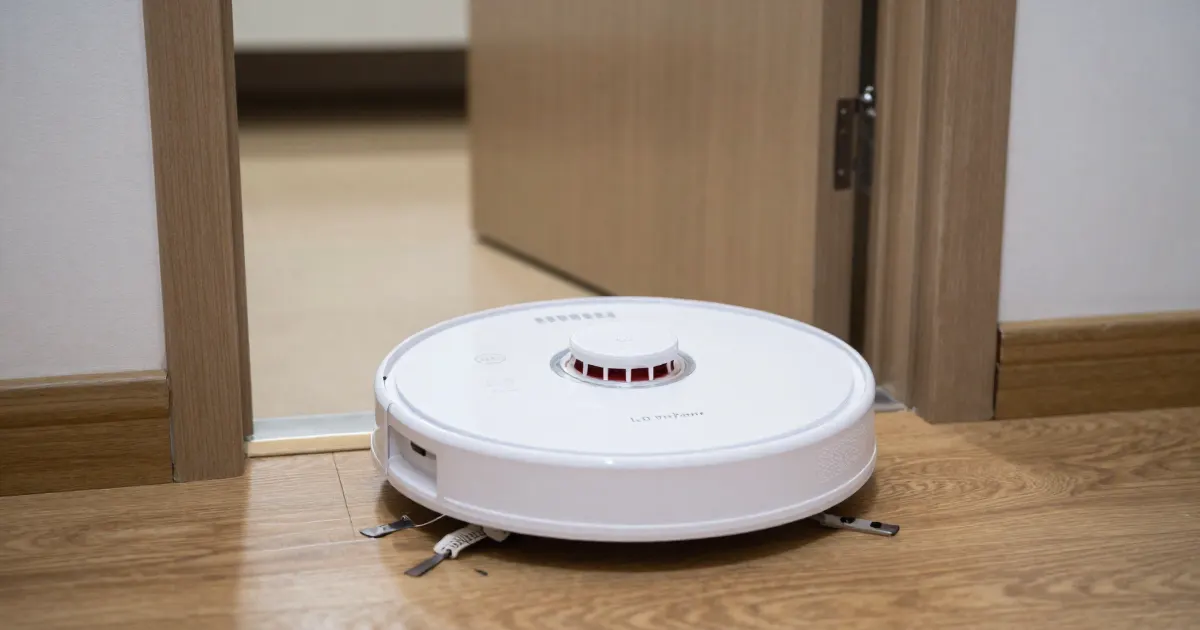
The sources describe several model-specific situations involving a crossed boundary: lost zones on the Roborock S7 or S5 Max, a Samsung Jet Bot or Jet Bot AI+ starting away from its Clean Station, ECOVACS boundary activation and return-to-dock behavior, and the mode selected on an iRobot Virtual Wall accessory. The sections below organize those situations by the robot or boundary tool covered.
Direct answer: which condition fits your robot
The Roborock S7 and S5 Max manuals link their app boundaries to Map Saving. Samsung describes boundary-crossing risks for Jet Bot and Jet Bot AI+ after a start away from the Clean Station or a station move. ECOVACS distinguishes activation at the next dock departure in the ECOVACS App from immediate activation in the ECOVACS Home App. iRobot’s Virtual Wall article describes its accessory’s switch settings. The comparison table links each entry to its source.
Boundary tools differ by brand
The iRobot ClearView LiDAR Maps guide describes Keep Out Zones drawn in the app for the Roomba families listed in the table. Its Virtual Wall article describes a separate accessory with a switch. Roborock’s S7, Q5+ and S5 Max manuals describe app boundaries. The ECOVACS FAQ discusses Virtual Boundaries in the ECOVACS App and ECOVACS Home App. Samsung’s Jet Bot page describes no-go zones in SmartThings for Jet Bot and Jet Bot AI+.
As a precaution, keep the saved zone visible in the app when you record the problem, and note whether it has disappeared, whether the robot crossed it during cleaning or on a return trip, and whether the boundary was an app setting or a separate accessory. For choosing zones that prevent repeated physical traps, see the robot vacuum keeps getting stuck guide.
Boundary loss on Roborock S7 and S5 Max
The Roborock S7 manual lists the prerequisite and the risk side by side. It says that “Map Saving mode must be switched on, and a full clean completed before this function can be used.” It also says that “Moving the robot by hand or making significant changes to the environment may cause the loss of No-Go Zones, No-Mop Zones, and Invisible Wall.”
The Roborock S5 Max manual requires Map Saving Mode to be turned on in the app for virtual no-go zones. Its boundary section also says: “Moving the robot manually or making significant changes to the home environment may cause the loss of Virtual No-Go Zones and Walls.”
As a precaution, check the saved map after moving a robot or changing its room layout, and confirm the zone is still there before assuming the boundary is active. For a missing or invalid layout, see the robot vacuum mapping problems guide.
Samsung Jet Bot and Jet Bot AI+: Clean Station conditions
Samsung’s Jet Bot page, which names the Jet Bot and Jet Bot AI+, says the Clean Station cannot be set as a no-go zone. It also says that if the Jet Bot starts somewhere other than the Clean Station, it may clean the zones you set. Changing the Clean Station’s installation place creates the same risk. The page says saved zones are kept for future sessions and can be created, deleted or adjusted in the SmartThings app.
As a precaution, record whether either event, a start away from the station or a moved station, happened before the crossing.
Timing of new ECOVACS boundaries
The ECOVACS FAQ applies its timing rules to all models within each named app. In the ECOVACS App, a new virtual boundary takes effect the next time the robot leaves the charging dock. In the ECOVACS Home App, the virtual wall goes into effect immediately. The same FAQ says the robot ignores the virtual wall in Return to the Charging Dock mode, and describes that behavior as normal.
As a precaution, check the app name, the time of the last dock departure, and whether the crossing happened on a return trip, since the FAQ’s timing rules turn on these points.
iRobot Virtual Wall and Halo mode ranges
The iRobot Virtual Wall article describes two modes selected by a switch. It says Virtual Wall mode can block openings up to 10 ft (3 m) wide, while Halo mode creates an avoidance zone extending about 24 in (60 cm) from the center of the device. It assigns Virtual Wall to the switch’s up position, Halo to the down position, and Off to the middle position.
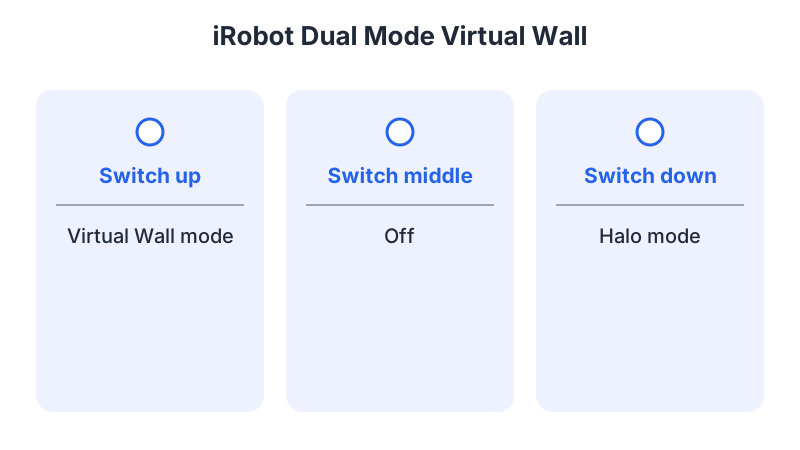
The light ring pulses five times when the device is activated or a new mode is selected, and stays off until the two AA batteries need replacing. The article says the batteries last up to 12 months under normal use.
What changes by model
The table connects each boundary tool with the conditions described in its source. As a precaution, match both the robot family and the app or accessory to the relevant row before applying its guidance.
| Brand and model | Boundary tool | What the source says | Source |
|---|---|---|---|
| iRobot Roomba with ClearView LiDAR Maps (Mini, 100/1000, 200/2000, Plus 400, Plus 500, Max 700) | Keep Out Zone and No Mop Zone | Keep Out Zones are set up in areas the robot should avoid. No Mop Zones apply only to mopping or combo robots and cover areas that can still be vacuumed. | iRobot ClearView guide |
| iRobot standalone Virtual Wall barrier (article 9053) | Virtual Wall or Halo mode | Virtual Wall blocks openings up to 3 m (10 ft). Halo reaches about 60 cm (24 in) from the device. Two AA batteries last up to 12 months under normal use. | iRobot Virtual Wall article |
| Roborock S7 | In-app No-Go Zones, No-Mop Zones and Invisible Wall | Map Saving must be on and a full clean completed. Can be lost after manual moves or significant changes. Error text: “No-go zone or Invisible Wall detected. Move robot from this area.” | Roborock S7 manual |
| Roborock Q5+ | In-app No-Go Zones and Invisible Wall | Listed as app features. Error text: “No-go zone or Invisible Wall detected. Move robot from this area.” | Roborock Q5+ manual |
| Roborock S5 Max | Virtual No-Go Zones and Walls | Map Saving Mode must be turned on in the app. Boundaries may be lost after manual moves or significant changes to the home environment. Error 24: “Virtual no-go zone or wall detected.” | Roborock S5 Max manual |
| ECOVACS robots (all models in each app) | Virtual Boundary in the ECOVACS App or ECOVACS Home App | ECOVACS App: applies the next time the robot leaves the dock. Home App: applies immediately. Return to the Charging Dock mode ignores the virtual wall. | ECOVACS FAQ (AU) |
| Samsung Jet Bot and Jet Bot AI+ | Saved no-go zones in SmartThings | A start away from the Clean Station, or a moved station, may let the robot clean saved no-go zones. | Samsung Jet Bot page |
iRobot
The ClearView guide describes Keep Out Zones and No Mop Zones for the listed Roomba families, including the distinction between avoiding an area and allowing vacuuming while excluding mopping. It also recommends Keep Out Zones around reflective or glass surfaces. As a precaution, record the saved zone type when reporting a crossing on a covered combo robot.
Roborock
The S7 manual says that “By default, No-Mop Zones will activate when the VibraRise mop cloth mount is in place.” Its error list tells you to move the robot out of an area when it reports a no-go zone or Invisible Wall. The Q5+ and S5 Max manuals use the same error idea, with S5 Max labeling it Error 24. As a precaution, record that error message separately from an observed crossing into a saved zone.
ECOVACS
The FAQ’s delayed-activation rule covers a crossing before the robot’s next dock departure after a boundary is saved in the ECOVACS App. Its return-mode exception covers a crossing while the robot is heading back to the dock. Either case is a different check from a zone saved in the Home App.
Samsung Jet Bot
Samsung’s page names the Jet Bot and Jet Bot AI+ and covers saved restrictions in SmartThings. It describes possible crossings after a start away from the Clean Station or a change to the station’s location. As a precaution, include the run’s starting location and any station move in the details you save for support.
When the crossing continues
As a precaution, if crossings continue, save the model, app name, zone position, departure details, any recent robot or station move, and a short video for manufacturer support, and check the procedure for your model in the robot vacuum reset guide before choosing a reboot or factory reset. Related symptom guides cover broader troubleshooting, sensor errors, and spinning in circles.
Not sure which guide fits? Use the symptom checker
Checked against
Models checked: iRobot ClearView LiDAR Maps guide, Roomba Mini, 100/1000, 200/2000, Plus 400, Plus 500 and Max 700; iRobot Virtual Wall article (UK, article 9053), Virtual Wall and Halo modes; Roborock S7 user manual, No-Go Zones, Invisible Wall and error list; Roborock Q5+ user manual, No-Go Zones and Invisible Wall; Roborock S5 Max user manual, No-Go Zone and error 24; ECOVACS virtual boundary FAQ (AU), all models in each app; Samsung Jet Bot no-go zone page (latin_en), Jet Bot and Jet Bot AI+. These are document checks, not hands-on tests.
- iRobot: Guide to ClearView LiDAR Maps (support; accessed )
- iRobot: Virtual Wall article (UK, 9053) (support; accessed )
- Roborock S7 Robotic Vacuum Cleaner User Manual (manual; accessed )
- Roborock Q5+ Robotic Vacuum Cleaner User Manual (manual; accessed )
- Roborock S5 Max User Manual (manual; accessed )
- ECOVACS Help: Why doesn't the Boundary Wall work after I set it up on the App? (AU) (support; accessed )
- Samsung: How can I set a No-go zone on my Jet Bot? (support; accessed )