Robot Vacuum Maintenance Reminder: What to Service First
Short answer
Suggested starting point: identify the part named in the alert and check the interval for your exact model. ECOVACS DDX57 directs owners to replace mops when its app prompts. In the iRobot HOME app, Reset Status clears the status of a part after you service it.
Maintenance reminder: match the part and model
-
Check 1
Does ECOVACS HOME prompt you to replace the mops on your DEEBOT DDX57?
Yes
Replace the DDX57 mops as prompted. Its manual lists replacement every 1-2 months.
Open the guideNo
-
Check 2
Is hair or debris wrapped around the main brush on your Roborock S7?
Yes
Remove the S7 brush caps, clear the wrapped debris and reinstall the caps in the locking direction.
Open the guideNo
-
Check 3
Do the cliff sensors on your Roborock S7 need cleaning?
Yes
Wipe the S7 cliff sensors with a soft dry cloth; its maintenance schedule is monthly.
Open the guideNo
-
Check 4
Does the Roborock S7 filter show abnormal wear?
Yes
Replace the S7 filter. Its 6-12 month replacement guideline can vary with its actual condition.
No
-
Check 5
Have you serviced the part shown in Care in the iRobot HOME app?
Yes
Open Help, then Care, select the serviced section and use Reset Status.
No
None of these?
Suggested next step if the alert persists after documented care: contact support with your model and the exact alert text.
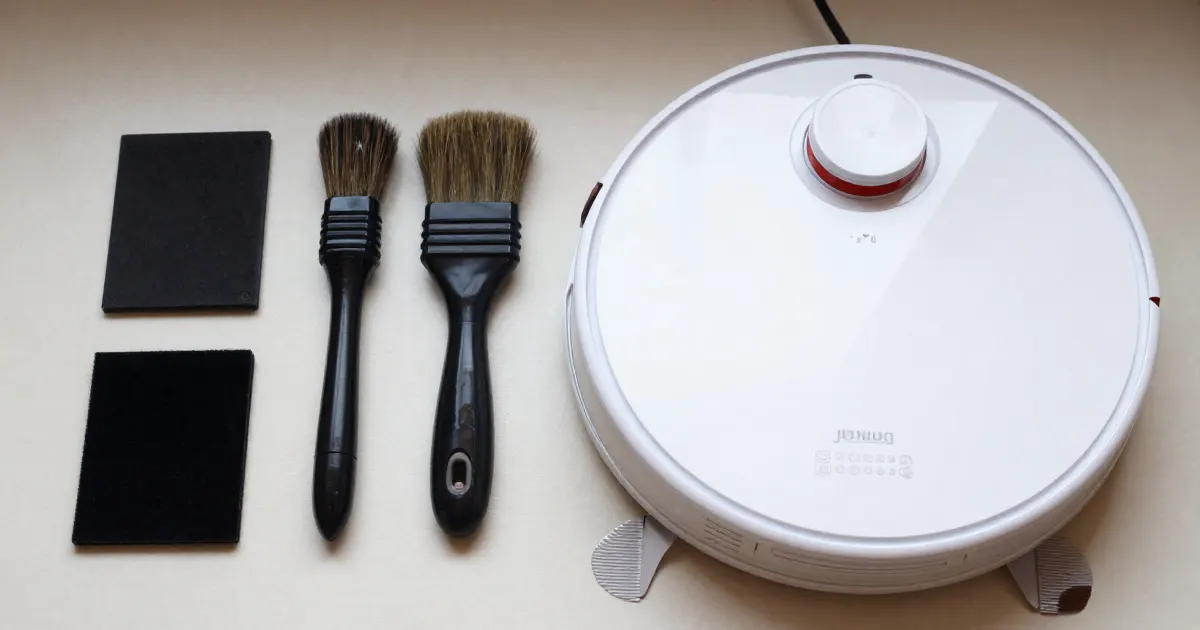
Suggested starting point: if your alert names a part, find it in the table below and check the interval for your exact model. The sources separate cleaning from replacement. Some parts are replaced when an app prompts you, and the iRobot HOME app has a reset for a part’s status after you service it.
Match the alert to one part
The model-specific tables below distinguish care for brushes, sensors and mops. We suggest identifying the part named in your alert before choosing the relevant instructions.
For a brush, the cleaning steps are in the brush guide. For a sensor, the sensor error guide covers cleaning. For mop pads, the mop pad guide covers wear and fit. The cleaning guide covers the routine that applies across parts.
What changes by model
The table gives the cleaning and replacement intervals that each source publishes for the named model. Each row links to its source. Intervals differ by brand and by model, so use the row for your own robot.
| Model | Filter | Main or roller brush | Side brush | Other parts | Source |
|---|---|---|---|---|---|
| Roborock S7 | Maintenance every 2 weeks; replace every 6-12 months | Maintenance every 2 weeks; replace every 6-12 months | Maintenance monthly; replace every 3-6 months | VibraRise mop cloth: clean after each use, replace every 3-6 months. Cliff sensors: wipe monthly. | Roborock S7 manual |
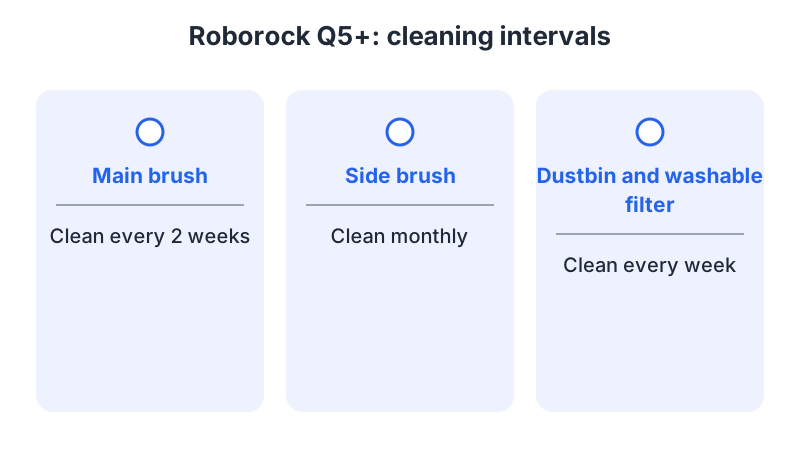
| Roborock Q5+ | Clean every week; replace every 6-12 months | Clean every 2 weeks; replace every 6-12 months | Clean monthly; replace every 3-6 months | Dust bag: replace as required. Robot sensors, including cliff sensors: clean monthly. | Roborock Q5+ manual |
| iRobot Roomba Plus 400 | Clean weekly (twice weekly with pets); replace every 3-6 months | Clean weekly (twice weekly with pets); replace every 6-12 months | Clean every two weeks or as needed; replace every 3-6 months | Cliff sensors: clean monthly or as needed. AutoWash Dock bags: replaced when prompted by the LED indicator or the Roomba HOME app. | iRobot Roomba Plus 400 care chart |
| ECOVACS DEEBOT DDX57 | Maintenance every week; replace every 3-6 months | Roller brush: clean every week; replace every 6-12 months | Maintenance every 2 weeks; replace every 3-6 months | Washable mops: replace every 1-2 months. Dust bag: replace when the app prompts. | ECOVACS DEEBOT manual |
Roborock S7 and Q5+
The S7 manual summarizes its schedule in a routine maintenance table. It gives the main brush and washable filter a maintenance every two weeks, the side brush monthly, and the mop cloth a clean after each use. Its cliff sensors are wiped monthly with a soft dry cloth. The same table lists the charging contacts on the robot and the dock, the dock locator, the carpet sensor and the main wheels, each on a monthly wipe. The washable filter is air-dried for at least 24 hours before reuse.
The Q5+ manual gives maintenance by component. It asks for the main brush every two weeks, the side brush monthly, and the dustbin and washable filter weekly, with the filter replaced every 6-12 months. Its manual also asks for 24 hours of drying for the dustbin and filter after rinsing. Its robot sensors, including the dock locator, wall sensor and cliff sensors, are cleaned monthly with a soft dry cloth, and its dust bag is replaced as required.
Both manuals name an app feature for maintenance. The S7 manual lists a Maintenance Schedule among its app functions. The Q5+ manual lists Care & Maintenance under Robot Information. Both manuals note that app functions may differ slightly with updates.
For S7 replacement timing, the manual’s note reads: “Replacement frequency will vary depending on the actual situation. Should abnormal wear and tear occur, replace the relevant part.” That note matters more than the interval when a part wears early.
iRobot Roomba Plus 400
The care chart for the Roomba Plus 400 gives the filter a replacement every 3-6 months. The edge sweeping brush, which is the side brush, is cleaned every two weeks or as needed and replaced every 3-6 months. The main brush is replaced every 6-12 months. The cliff sensors are cleaned monthly or as needed.
The chart also covers the Roomba Plus 400 AutoWash Dock. There, the bags are replaced when the LED indicator or the Roomba HOME app prompts you. That prompt applies to the dock bags, so it is the signal for that part.
ECOVACS DEEBOT DDX57
The ECOVACS manual lists model DDX57 in its technical specifications, although the file is named for the T50 OMNI AU2. Its regular maintenance table gives the side brush a service every two weeks and a replacement every 3-6 months. The roller brush is cleaned weekly and replaced every 6-12 months. The filter is cleaned weekly and replaced every 3-6 months. Washable mops are replaced every 1-2 months, and the dust bag is replaced when the app prompts. The same table lists the clean water tank every three months, and the dirty water tank, the dust collection cabin and the body and bottom of the station every month.
Reminders and resets in the app
Each brand handles reminders differently, so read the instruction for your own app.
- ECOVACS. The DDX57 manual ties two parts to the ECOVACS HOME app. Its wording is: “When the ECOVACS HOME App prompts that the mops need to be replaced, please replace them in time.” The dust bag follows the same app prompt.
- iRobot. The Roomba HOME app prompts for the AutoWash Dock bags on the Roomba Plus 400. The iRobot HOME app feature article describes a Care section under Help, which lets you reset a part’s status after you service it.
- Roborock. The S7 manual lists Maintenance Schedule among its app functions. The Q5+ manual lists Care & Maintenance under Robot Information. Both manuals note that app functions may vary with updates.
Suggested checklist: use the instructions for your model and app
- Identify the part named in the alert, and find its row in the table above.
- Service the part as the manual describes. For the Roborock S7 main brush, the manual has you rotate the brush cap fasteners in the unlocking direction, remove the debris wrapped around the brush, and reinstall the caps in the locking direction.
- Apply the replacement guidance for the named model. For the Roborock S7, timing varies with actual conditions, and abnormal wear calls for replacement. For the DDX57, replace mops when the ECOVACS HOME app prompts.
- In the iRobot HOME app, after you service the part, open Help, then Care, select the serviced section, and press Reset Status. The iRobot app feature article describes this path, and it asks you to press the part maintained to reset its status.
If the alert returns straight after servicing, we suggest checking which part it names and reviewing the guidance for your model. If it persists, we recommend contacting the manufacturer with your model number and the exact alert text.
Frequently asked questions
Should I replace a part as soon as the reminder appears? Follow the instruction for your model. The S7 manual says replacement frequency varies with actual conditions, and abnormal wear calls for replacement. The DDX57 manual says to replace mops when the ECOVACS HOME app prompts.
Does the ECOVACS app prompt for replacement? The DDX57 manual names two parts for an app prompt: the washable mops and the dust bag. Use the app’s prompt as the signal for those two parts.
How do I reset an iRobot maintenance status? Open Help, then Care, select the section you serviced, and press Reset Status. The iRobot app feature article gives these steps.
Not sure which guide fits? Use the symptom checker
Checked against
Models checked: Roborock S7 user manual, Routine Maintenance table and app functions (Maintenance Schedule); Roborock Q5+ user manual, Routine Maintenance (C1 to C9) and App Features (Care & Maintenance); iRobot Roomba Plus 400 care chart, including the AutoWash Dock; iRobot HOME app article: Features and Functionality (Help, Care, Reset Status); ECOVACS DEEBOT instruction manual (file T50 OMNI AU2), Regular Maintenance table and specifications listing model DDX57. These are document checks, not hands-on tests.
- Roborock Q5+ Robotic Vacuum Cleaner User Manual (manual; accessed )
- Roborock S7 Robotic Vacuum Cleaner User Manual (manual; accessed )
- iRobot: Roomba Plus 400 care chart (support; accessed )
- ECOVACS DEEBOT instruction manual (file T50 OMNI AU2, model DDX57) (manual; accessed )
- iRobot: Features and Functionality in the iRobot HOME App (support; accessed )