Robot Vacuum Not Emptying? Check Your Dock and Model
Short answer
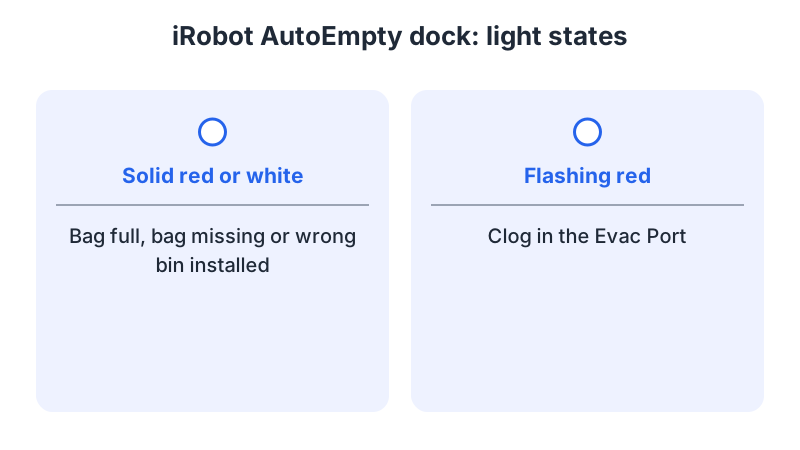
As a precaution, match your dock light or app message to your model's instructions. On an iRobot AutoEmpty dock, solid red or white can mean a full or missing bag, or an incorrect robot bin, and flashing red means a clogged evacuation port. Ecovacs, eufy and Roborock each document their own bag, app and airflow checks.
Robot vacuum not emptying: match the dock and symptom
-
Check 1
On an iRobot AutoEmpty dock, is the bag full, missing or the lid open?
Yes
Replace a completely full bag, seat the bag, and close the lid fully before testing one empty.
No
-
Check 2
Is the iRobot AutoEmpty dock light flashing red?
Yes
As a precaution, unplug the dock before clearing debris from the evacuation port on its bottom.
No
-
Check 3
On the eufy E20, is Auto Empty for Robot off or is the base on carpet?
Yes
Turn it on under Auto Empty Settings in the eufy Clean app, and use a hard floor or the dock assist mat.
No
-
Check 4
Does your Ecovacs DEEBOT still report a full bag after a new bag is installed?
Yes
Restart the robot, reconnect the station's power, update the robot firmware, confirm charging and reinstall the bag.
No
-
Check 5
On a Roborock Q5+ Auto-Empty Dock, is the dock light red or the dustbin cover missing?
Yes
Put the dustbin cover in place. If the fan overheated, unplug the dock and retry after 30 minutes, as the Q5+ manual says.
No
None of these?
As a precaution, stop and contact the manufacturer if the problem persists; include the model, light color, app message and checks completed.
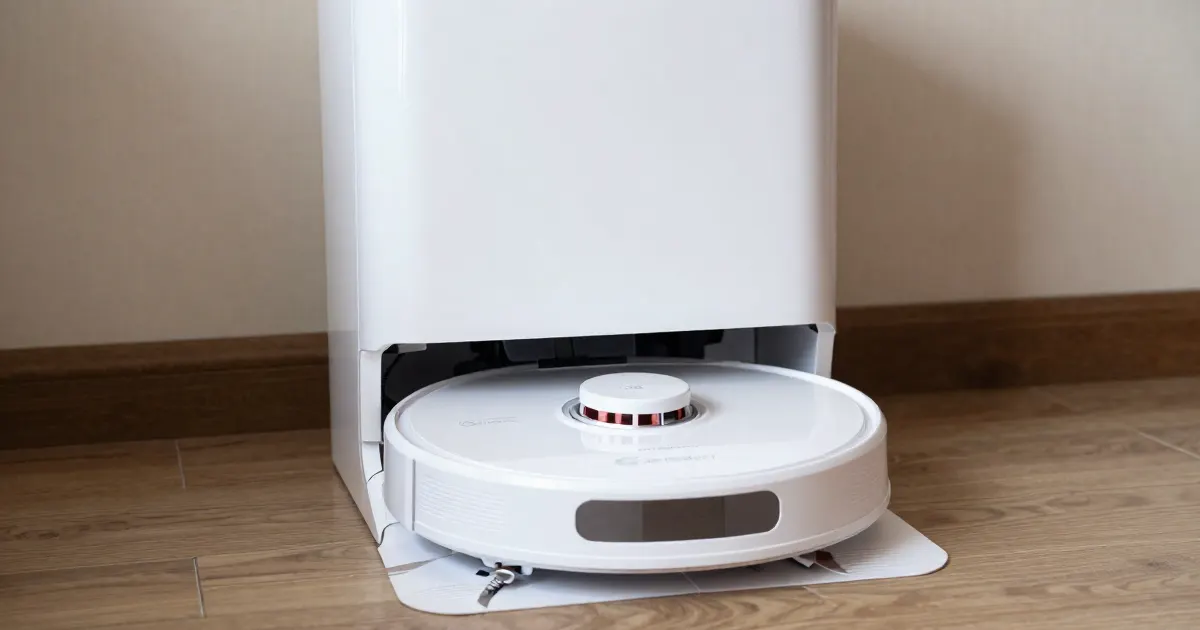
Read the dock light or app message for your model
The sections below group model-specific checks by bag and lid, evacuation path, app and placement, and restart. As a precaution, match your robot, dock and symptom to the relevant source before following a procedure.
As a precaution, unplug the dock and switch the robot off before you clear debris from any opening.
Check the bag, bin and lid
On an iRobot AutoEmpty dock, iRobot says a solid red or white light means the bag is full, missing, or the wrong bin is installed. If the bag is completely full, discard it and replace it. iRobot also says that if the lid is open, the dock assumes the bag is not installed properly. Close the lid fully and test one empty.
For a DEEBOT with an Auto-Empty Station, Ecovacs says to check that the dust bag is fitted correctly, the dust collection cabin is fully closed, and the robot sits correctly on the station. If no bag is detected, Ecovacs says to open the cabin and install one; if a bag is present, remove it and reinstall it.
For the eufy 3-in-1 E20, the eufy article says to verify that the dust bag is correctly positioned in the base station.
On the Roborock Q5+, the manual lists a missing dustbin cover as a cause of a red LED on the Auto-Empty Dock, and says not to use the dock without a dustbin cover or dust bag.
Check the evacuation path
A flashing red light on an iRobot AutoEmpty dock means the dock senses a clog. iRobot says to remove any debris from the evacuation port on the bottom of the dock. As a precaution, keep the dock unplugged while you clear it. iRobot also says to plug the line cord firmly into the outlet and the dock, and that a damaged cord must be replaced.
On the Roborock Q5+, reduced emptying performance or unusual noise can come from a blocked filter, air duct, suction inlet, air inlet or dustbin, or from a main brush or brush cover that is not properly installed. The manual’s remedy is to clean out the blockage and correct the installation.
Check app settings, placement and triggers
For the eufy E20, open the eufy Clean app, go to Auto Empty Settings, and verify that Auto Empty for Robot is on. The article says auto-emptying starts only after the cleaning time has surpassed three minutes, and asks you to check whether the robot runs during the Do Not Disturb period. If the base sits on carpet, the article says the robot might have difficulty emptying its dustbin, and recommends the dock assist mat.
On the Roborock Q5+, the manual says auto-emptying is not triggered when the robot is moved to the dock manually, when it returns without cleaning, when it returns in Do Not Disturb mode, or when its battery is below 10%. The manual recommends manual emptying after a manual return to the dock or during Do Not Disturb mode; below 10% battery, it says to charge to 10%. It also warns that a soft surface such as carpet may cause the dock to tilt over.
Restart and update when the bag is correct
If the bag is seated and the cabin is closed, but the robot still reports a full bag after a new one is fitted, Ecovacs’ FAQ, which refers to the DEEBOT product line, lists these steps. Power off the robot and restart it. Disconnect the station’s power, then connect it again. Update the robot’s firmware to the latest version, make sure the robot is charging, and reinstall the dust bag.
On a Roborock Q5+ dock, a red LED can also come from a fan that overheated after frequent starts and stops. The manual says to unplug the power cable and try again after 30 minutes.
What changes by model
The brands document different indicators and steps. As a precaution, find your product in the table, then follow the linked page or manual.
| Brand and model | Symptom or indicator | Checks | Model-specific action | Source |
|---|---|---|---|---|
| iRobot AutoEmpty dock, Max 700 Series Vac and i or s series | Solid red or white light | Bag full, missing or wrong bin | Press HOME while the robot is on the dock | iRobot |
| iRobot AutoEmpty dock, j series and Roomba Combo 10 Max | Solid red or white light | Bag full, missing or wrong bin | Press and hold the robot button for 2 to 5 seconds | iRobot |
| iRobot AutoEmpty dock | Flashing red light | Clog in the evacuation port | Remove debris from the evacuation port on the bottom of the dock | iRobot |
| iRobot Roomba 2 Essential | Bin not emptied from the robot | No button evacuation | Empty through the app | iRobot |
| DEEBOT with Auto-Empty Station | Dust collection fails | Bag fitting, closed cabin, robot position | Fit the bag correctly, close the cabin, place the robot correctly | Ecovacs |
| DEEBOT with Auto-Empty Station | Bag not detected | Bag installed in the cabin | Install a bag if missing; reinstall a bag already present | Ecovacs |
| DEEBOT with Auto-Empty Station | Full-bag message after a new bag | Persistent warning | Restart, reconnect station power, update firmware, confirm charging, reinstall bag | Ecovacs |
| eufy 3-in-1 E20 | Dustbin not emptied after cleaning | Auto Empty setting, cleaning time, Do Not Disturb, base power, carpet, bag position | Check base power and its steady white indicator; verify the app setting, placement and bag position | eufy |
| Roborock Q5+ with Auto-Empty Dock (AED03LRR, AED04LRR) | Red LED on the dock | Dustbin cover, fan overheating, voltage | Put the dustbin cover in place; for overheating, unplug the power cable and retry after 30 minutes | Roborock Q5+ |
| Roborock Q5+ with Auto-Empty Dock | Reduced emptying or unusual noise | Blocked airflow path, brush cover | Clean out blockages; correct the brush and brush cover installation | Roborock Q5+ |
| Roborock Q5+ with Auto-Empty Dock | Auto-emptying not triggered | Manual move, return without cleaning, Do Not Disturb, battery below 10% | After manual placement or in Do Not Disturb mode: empty manually; below 10%: charge to 10% | Roborock Q5+ |
iRobot AutoEmpty dock
The iRobot article gives different button steps by series. For the Max 700 Series Vac, press the Home button while the robot is on the dock. For the i and s series, press HOME on the robot. For the j series and Roomba Combo 10 Max, press and hold the button for 2 to 5 seconds. The article says the Roomba Essential 1, the Roomba 200/2000 series, and the Roomba 100/1000 with the standard non-evac charge dock have no lights on their docks, so the light cannot show the bag state on those models.
Ecovacs DEEBOT with Auto-Empty Station
The Ecovacs FAQ uses the DEEBOT product line as its scope. Its three branches are failed collection, an undetected bag, and a full-bag warning after a new bag is fitted. The restart, station power and firmware steps belong to the last branch.
eufy 3-in-1 E20
The eufy article covers the Auto Empty for Robot setting, the three-minute cleaning time, the Do Not Disturb period, the steady white base indicator, base placement on carpet, and the bag position.
Roborock Q5+ and S7
The Q5+ manual covers the Auto-Empty Dock models AED03LRR and AED04LRR. Its status light is steady white for standby, flashing white for emptying, and steady red for a malfunction. The manual describes a button command for manual emptying and says pressing any button on the robot stops emptying.
For the S7, the robot diagram on page 12 of the S7 manual includes the Auto-Empty Dock preparation note and identifies the dock as an accessory purchased separately.
Parts and bags
For an iRobot AutoEmpty dock, replace a completely full bag, as iRobot’s article says. For an Ecovacs station, install a bag if none is detected, or reinstall the existing one. The Q5+ manual’s dust bag replacement procedure applies to the Auto-Empty Dock. As a precaution, confirm bag compatibility with your exact dock or station model before ordering; the Q5+ manual lists AED03LRR and AED04LRR.
When to stop and contact support
As a precaution, stop and contact the manufacturer if the light or message persists after the checks for your model, and include the brand, exact model, light color, app message and checks completed.
If the dock shows a code, use the robot vacuum error codes guide to match it to your product family. If the robot cannot reach the dock at all, see the return-to-dock guide for that separate symptom. Cleaning the robot’s own parts is covered in the how to clean a robot vacuum guide, and a robot that cannot pick up debris is covered in the not picking up guide.
Not sure which guide fits? Use the symptom checker
Checked against
Models checked: iRobot AutoEmpty dock: Max 700 Series Vac, i and s series, j series, Roomba Combo 10 Max, Roomba 2 Essential, Roomba Essential 1, 200/2000 series and 100/1000 standard charge dock; Ecovacs DEEBOT with Auto-Empty Station (product line FAQ); eufy 3-in-1 E20 robot vacuum auto-empty article; Roborock Q5+ user manual with Auto-Empty Dock models AED03LRR and AED04LRR; Roborock S7 user manual (Auto-Empty Dock note). These are document checks, not hands-on tests.
- iRobot: Bin Full and AutoEmpty dock troubleshooting (Error 36 steps) (support; accessed )
- Ecovacs: Auto-emptying failed, or dust bag not detected or is full (support; accessed )
- eufy: What should I do if my 3 in 1 E20 robot vacuum cannot automatically empty the dustbin (support; accessed )
- Roborock Q5+ Robotic Vacuum Cleaner User Manual (manual; accessed )
- Roborock S7 Robotic Vacuum Cleaner User Manual (manual; accessed )