Vacuum Cleaner Troubleshooting: Identify the Type and Symptom
Short answer
Identify the model and power type first. Unplug corded equipment and follow battery isolation instructions for cordless machines. Stop damaged or overheating equipment; then choose the guide matching the observed symptom.
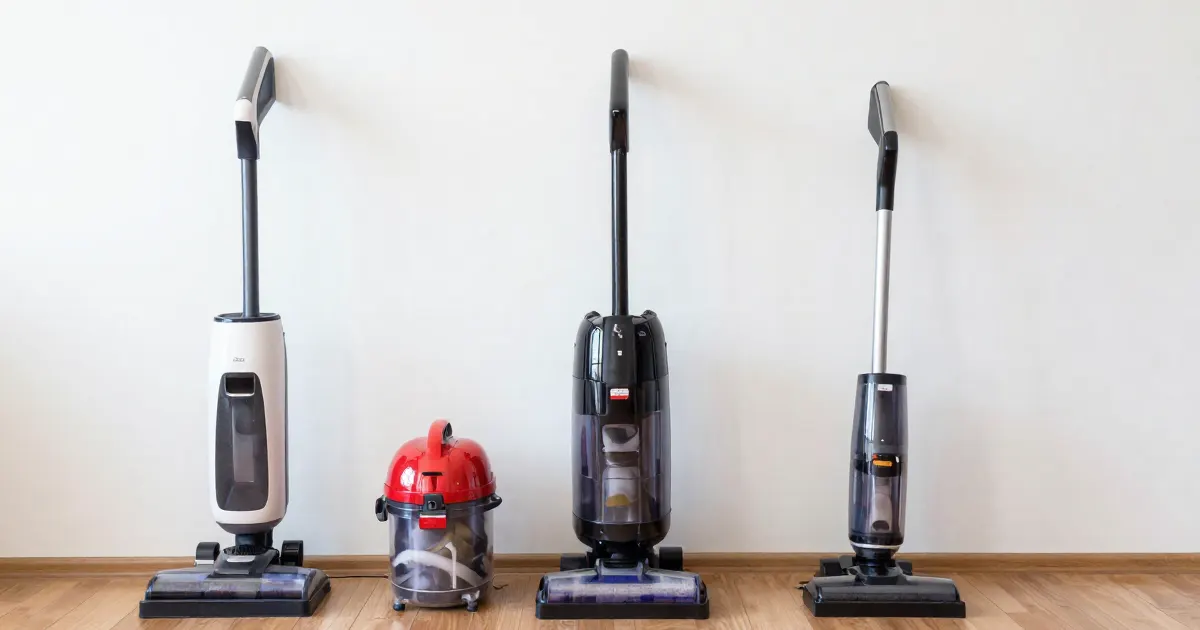
Identify the machine before trying a repair
To choose the right guide, record three things: the exact model from its label, the symptom you see, and any light, beep or code the machine shows. The same symptom can have different causes on different designs, so a guide written for one model is not a diagnosis for another.
A corded upright, cordless stick, robot and wet/dry vacuum do not share one power system or dust path. Read the model label and find its manual. A generic symptom can point to different components depending on the design.
Unplug a corded machine before maintenance. For battery-powered equipment, switching off and disconnecting the charger may need additional model-specific isolation before handling moving parts. Do not assume unplugging the charger removes battery power.
Stop use for a damaged cord, smoke, electrical odor, abnormal heat or a damaged battery. Do not restart after an arbitrary cooling period without the manufacturer’s instructions.
What changes by model
Each entry below names the model its source covers. A fact about one model does not transfer to another model or brand.
Dyson. The SV04 manual’s battery diagnostics treat a flashing red light, in use and while charging, as a fault to report to the Dyson Helpline (Dyson SV04 guide). The SV04 user guide describes an automatic thermal cutout and asks for one to two hours of cooling before you check the filter or blockages (Dyson SV04 guide). The V11 uses a click-in battery when a large red release button sits where the handle meets the pack (Dyson V11 battery support). See flashing red light and battery replacement.
BISSELL. On the Pet Hair Eraser Canister 2230, a stopped brush can mean the handle brush button is off, so switch it on. For a broken belt, BISSELL points to a replacement power foot (Canister 2230 support). On the PowerForce Pet Deluxe and CleanView uprights, the brush plate is held by six screws, and BISSELL says to replace a brush that will not spin freely by hand (PowerForce and CleanView support). On the 2284/2389/2390 hand vacuum, a red light that blinks during charging is the documented normal state, solid green means fully charged, and red and green blinking together means contacting BISSELL Consumer Care (2284/2389/2390 support). See corded brush-roll checks and hand-vacuum charging.
Hoover. For the WindTunnel Air Steerable Pet, brush operation depends on both handle position and mode: recline the vacuum and select a mode other than Brush OFF. Its thermal-protection procedure begins with switching off and unplugging; after emptying the cup and cleaning the nozzle, filter and hose connector, allow a 30-minute wait (WindTunnel Air Steerable Pet support). The WindTunnel Tangle Guard also requires a reclined position and a setting other than Brush OFF on MODE (C); a burnt smell calls for customer service, not an owner belt change (WindTunnel Tangle Guard support). For the Charging Tower (BH35200V) and Dual Bay Charger (BH05200), continuous red flashing on the charger calls for Hoover support (ONEPWR support). See brush-roll checks and belt identification.
Miele. The SEB 236 Electrobrush distinguishes a heat-protection shutdown, with its yellow lamp remaining on, from a blocked roller, indicated in red. For the heat shutdown, switch off and unplug before allowing about ten minutes to cool; for the red blockage signal, switch off and unplug, cut trapped threads along the roller’s guide track, clear the cut material and reset with the indicator (SEB 236 manual). The SEB 213/217 has a separate belt-access procedure involving the upper and lower housing sections, while worn bristles are the reason given for replacing its roller (SEB 213/217 manual). See brush-roll checks and belt replacement.
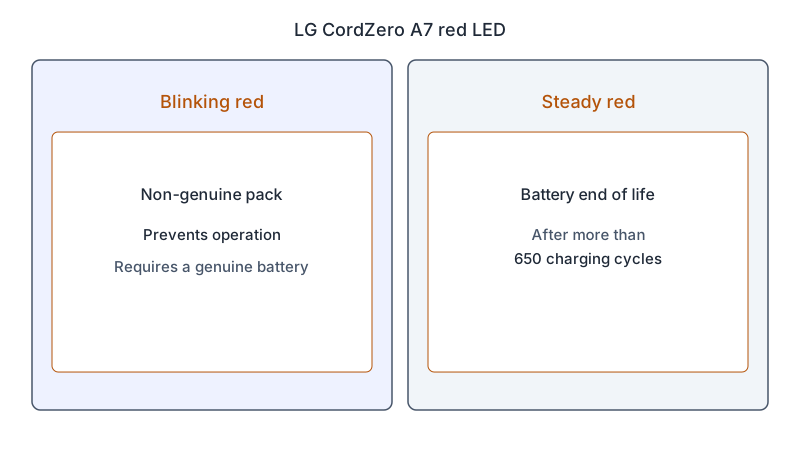
LG. The CordZero A7 uses red in two ways: blinking identifies a non-genuine pack that prevents operation, while steady red signals battery end of life after more than 650 charging cycles. The blinking condition requires a genuine battery (CordZero A7 LED support). On the CordZero A9 2,300 mAh battery accessory, the battery sits on the underside of the handle, and LG warns that an improperly inserted pack may fall out (CordZero A9 accessory page). See flashing red light.
Samsung. On the Bespoke Jet stick, a release button on the handle ejects the battery, and the Australian and Canadian pages describe two swappable batteries for longer cleaning time (Australian support, Canadian support). On the Jet vacuum in Samsung’s UK troubleshooting page, the machine stops automatically when it overheats; after clearing a blockage, wait at least 5 minutes, up to 30 minutes. (UK support). See keeps cutting out.
Tineco. On the litevak cordless stick, a rapidly blinking red light means the battery is empty, so charging is the correct response, and a solid blue battery indicator means fully charged. The FAQ gives three to four hours for a charge, including the first (litevak FAQ). For a blinking red battery indicator during use, the litevak troubleshooting page says to remove the battery pack and let it cool (litevak troubleshooting). Tineco’s general troubleshooting page reads a blinking red battery indicator as battery overheating, with steps to clear the dustbin, filters, brush and tube, then let the unit cool (general troubleshooting). See cordless troubleshooting.
BLACK+DECKER. The NVB/WDB manual assigns 3.6 V to the 115 series and 7.2 V to the 215 series, making the full product reference essential when identifying a battery. Connector appearance alone does not establish compatibility. For these models, the pack must remain closed and damaged parts are handled by an authorized repair agent (NVB/WDB manual). See battery replacement.
Choose a symptom route
| Symptom | Next guide |
|---|---|
| Weak or absent pickup, corded or bagged | No suction |
| Wet/dry or shop vac stops sucking | Wet/dry vac suction |
| Shop vac filter cleaning or replacement | Shop vac filter care |
| Blocked hose, wand or tube | Clearing a hose clog |
| Cordless pickup weakens over time | Losing suction |
| Bad smell from a corded vacuum | Smells bad |
| Bad smell from a cordless stick | Cordless smells bad |
| Dust blowing out of the back or exhaust | Dust blowing out |
| Filter cleaning for a cordless stick | Filter cleaning |
| Replacing or washing a filter | Filter replacement |
| Bag indicator full or stuck on | Bag indicator by model |
| Corded machine will not start | Corded no-start |
| Cord won’t wind back in | Cord rewind |
| Breaker trips or fuse blows with a corded vacuum | Breaker and supply instructions |
| Cordless machine will not start | Cordless no-start |
| Cordless stick cuts out or pulses | Keeps cutting out |
| Brush roll stationary, corded | Brush-roll checks |
| Hard to push or sticks to carpet | Height and suction settings |
| Brush bar stationary, cordless | Brush bar checks |
| Suspected belt issue | Identify the belt layout |
| Heat or repeated shutdown | Overheating distinctions |
| New or louder noise from a corded or bagged vacuum | Noise checks by model |
| Light blinking or red on a cordless stick | Flashing red light |
| Cordless stick will not charge | Not charging |
| Shorter runtime than before | Battery not lasting |
| Battery replacement question | Battery replacement |
| Beeping from a cordless stick | Keeps beeping |
| Loud noise from a cordless stick | Loud noise |
| Unbranded cordless vacuum | Unbranded cordless |
| Robot-specific problem | Robot hub |
| Small hand vacuum | Handheld hub |
| Cordless model and symptom overview | Cordless troubleshooting |
Inspect before replacing parts
With the appliance safely isolated, inspect the user-accessible bag/bin, tool and dust path described by its manual. Do not wash an unidentified filter, insert wire into a hose or remove a motor cover simply because pickup is poor.
If a brush stopped, identify whether the model uses a user-serviceable belt and the exact replacement reference. If a wet/dry tank is involved, use its liquid and float instructions; do not defeat the float to restore suction.
Reassemble every required cover, filter and collection part before an approved normal-use check. If the problem returns, record the model, operating conditions and warning rather than repeating a reset.
Safety limits from the child guides
For battery and electrical warnings, the not-charging guide treats damage, swelling or abnormal heat at the battery, cord or plug as reasons to stop. Keep battery packs closed; remove or replace a pack only through the procedure documented for the exact model (battery replacement). For wet pickup, the Kärcher WD 2 Plus and WD 3 manual describes a full container closing suction through a float while motor speed rises: switch off immediately and empty it (overheating guide). After a thermal shutdown, use the cooling and blockage-check instructions for your own model before restarting.
This hub routes a symptom to documented maintenance. It does not promise that a fixed number of minutes of cooling, a new belt or a replacement battery will repair every vacuum.
Not sure which guide fits? Use the symptom checker
Checked against
Models checked: Dyson SV04 cordless stick; Dyson V11 battery; BISSELL Pet Hair Eraser Canister 2230; BISSELL PowerForce Pet Deluxe and CleanView uprights; BISSELL 2284/2389/2390 hand vacuum; Hoover WindTunnel Air Steerable Pet; Hoover WindTunnel Tangle Guard; Hoover ONEPWR chargers (BH35200V, BH05200); Miele Electrobrush SEB 236; Miele Electrobrush SEB 213/217; LG CordZero A7; LG CordZero A9 2,300 mAh battery; Samsung Jet stick vacuums; Tineco litevak; BLACK+DECKER NVB/WDB 115/215; Kärcher WD 2 Plus / WD 3. These are document checks, not hands-on tests.
- Dyson SV04 operating manual, thermal cutout and battery diagnostics (manual; accessed )
- Dyson V11 battery compatibility (support; accessed )
- BISSELL: Pet Hair Eraser Canister Brush is Not Turning (support; accessed )
- BISSELL: CleanView and PowerForce Pet Deluxe Brush is Not Turning (support; accessed )
- BISSELL 2284/2389/2390 charging (support; accessed )
- Hoover: WindTunnel Air Steerable Pet - Brush roll not spinning (support; accessed )
- Hoover (Canada): WindTunnel Tangle Guard - Brush roll not spinning (support; accessed )
- Hoover ONEPWR system: battery and charger lights (support; accessed )
- Miele: Electrobrush operating instructions (SEB 236) (manual; accessed )
- Miele Powerbrush operating instructions (SEB 213/217) (manual; accessed )
- LG CordZero A7 LED indicators (support; accessed )
- CordZero A9 Vacuum Cleaner Battery (2,300mAh), LG Canada (support; accessed )
- Assembling the BESPOKE Jet Stick Battery (Samsung Australia) (support; accessed )
- How to use your Samsung Bespoke Jet Cordless Stick Vacuum (Samsung Canada) (support; accessed )
- How to troubleshoot & resolve a Jet Vacuum power issue (Samsung UK) (support; accessed )
- litevak Cordless Stick Vacuum FAQ (support; accessed )
- Tineco LITEVAK: battery indicator blinking red (support; accessed )
- Tineco troubleshooting: device runs only for seconds (support; accessed )
- BLACK+DECKER NVB/WDB 115/215 manual (manual; accessed )
- Kärcher WD 2 Plus / WD 3 family operating instructions, 59510380 (05/23) (manual; accessed )